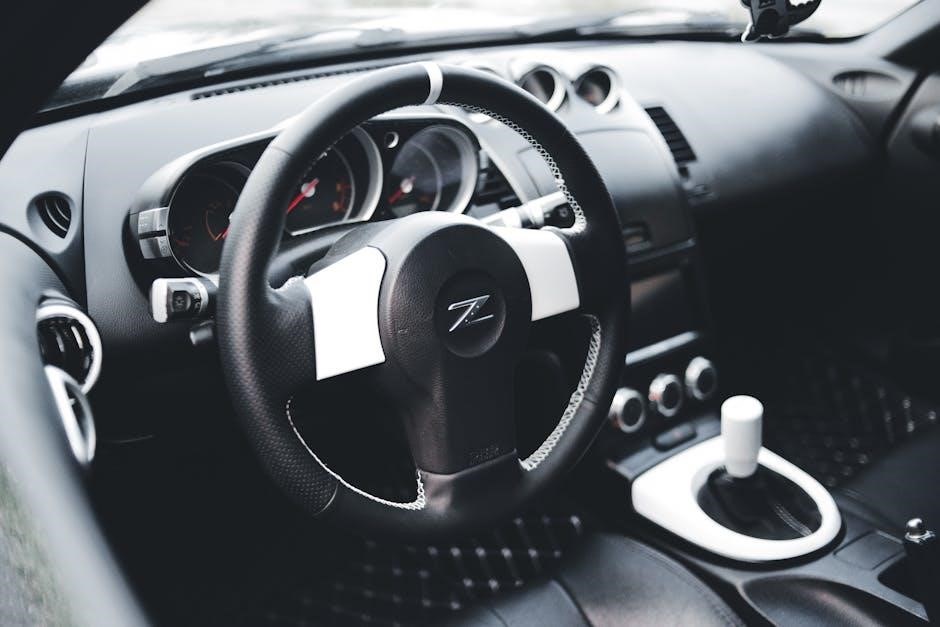
dodge 6 speed manual transmission

The Dodge 6-Speed Manual Transmission is a durable and performance-oriented gearbox, renowned for its smooth shifting and robust construction. It is widely used in Dodge Challenger, Charger, and Ram trucks, offering precise control and driver engagement. This transmission has become a favorite among enthusiasts for its reliability and exceptional driving experience.

1.1 Overview of the Dodge 6-Speed Manual Transmission

The Dodge 6-Speed Manual Transmission is a high-performance, heavy-duty gearbox designed for durability and driver engagement. Known for its smooth shifting and robust construction, it is widely utilized in various Dodge models, including the Challenger, Charger, and Ram trucks. This transmission features fully synchronized gears, offering precise control and exceptional driving experiences. Its popularity stems from its reliability, performance capabilities, and ability to handle high torque outputs, making it a preferred choice for both everyday driving and enthusiasts seeking a hands-on connection with their vehicle.

1.2 Historical Background and Development

The Dodge 6-Speed Manual Transmission traces its origins to the late 1990s, with the NV5600 model being introduced in 1998 for diesel-powered trucks. Designed to handle high torque outputs from engines like the Cummins diesel, it quickly gained a reputation for durability and performance. Over the years, Dodge refined the design, introducing variations like the G56, which offered improved shifting and strength. This transmission became synonymous with heavy-duty applications, earning a loyal following among enthusiasts and workers alike for its reliability and capability in demanding conditions.

Key Features of the Dodge 6-Speed Manual Transmission

The Dodge 6-Speed Manual Transmission features heavy-duty construction, fully synchronized gears, and overdrive capabilities, ensuring smooth shifting and enhanced performance under various driving conditions.

2.1 Gear Ratios and Performance Capabilities

The Dodge 6-Speed Manual Transmission, such as the NV5600, features a wide range of gear ratios optimized for both performance and efficiency. With a first gear ratio of 5.61 and a sixth gear of 0.62, it delivers robust low-end torque for towing and smooth highway cruising. The transmission’s overdrive capability enhances fuel economy at higher speeds while maintaining strong acceleration. Its design supports up to 540 lb.-ft. of torque, making it ideal for high-performance and heavy-duty applications, such as in the Dodge Challenger and Ram trucks.

2.2 Construction and Durability

The Dodge 6-Speed Manual Transmission, such as the NV5600, is built with a robust design, featuring a heavy-duty steel alloy case for added strength. It incorporates a fully synchronized gear system, ensuring smooth and precise shifts under various driving conditions. The transmission is rated to handle up to 540 lb.-ft. of torque, making it highly durable for demanding applications like towing and hauling. Its construction emphasizes reliability, with components designed to withstand the rigors of both on-road and off-road use, solidifying its reputation as a dependable choice for Dodge vehicles.

2.3 Synchronization and Shift Quality

The Dodge 6-Speed Manual Transmission features a fully synchronized gear system, ensuring smooth and precise shifts across all gears. The synchronization mechanism minimizes wear and tear, providing a responsive and engaging driving experience. With its well-engineered shift linkage, the transmission delivers crisp, tactile feedback, making it a joy for drivers who prefer manual control. This design enhances overall driving satisfaction, whether on the highway or in challenging terrain, solidifying its reputation for reliable and smooth operation.

Models Equipped with the Dodge 6-Speed Manual Transmission

The Dodge 6-Speed Manual Transmission is featured in the Challenger, Charger, Ram 2500, and 3500 diesel trucks, as well as other select Dodge vehicles.

3;1 Dodge Challenger and Charger Models

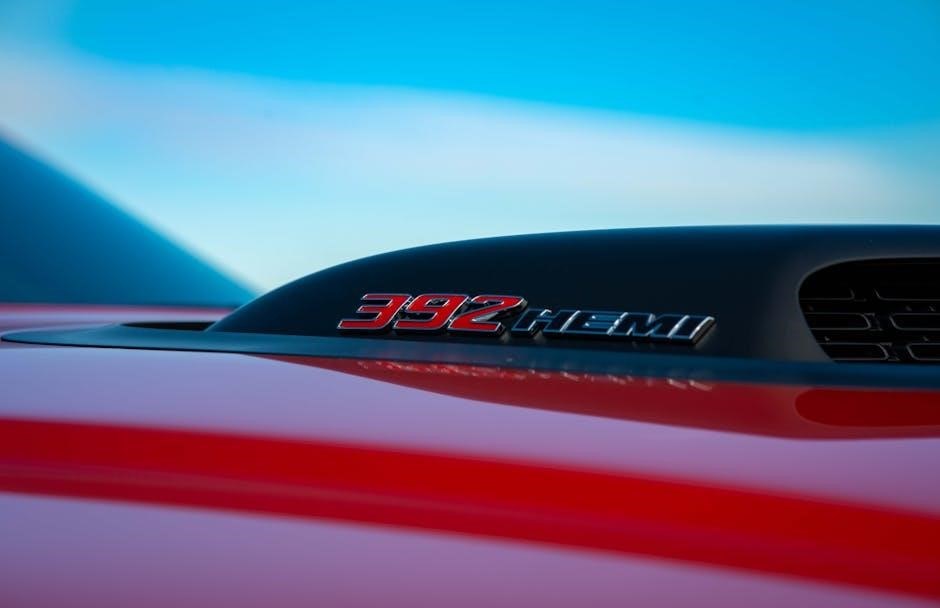
The Dodge Challenger and Charger models are iconic muscle cars that often feature the 6-Speed Manual Transmission. The Challenger, including the SRT Hellcat variants, offers a 6-speed manual option, providing drivers with precise control and an engaging driving experience. Similarly, the Charger, known for its powerful V8 engines, pairs well with the manual transmission, delivering a classic muscle car feel. Both models cater to enthusiasts who appreciate the tactile connection of a manual gearbox, enhancing the overall performance and driver engagement.
3.2 Dodge Ram 2500 and 3500 Diesel Pickup Trucks

The Dodge Ram 2500 and 3500 diesel pickup trucks are renowned for their pairing with the 6-Speed Manual Transmission, particularly the NV5600 model. Designed for heavy-duty applications, this transmission is well-suited for the 5.9L and 6.7L Cummins diesel engines, offering exceptional torque capacity and durability. Its fully synchronized gears and wide range make it ideal for towing and hauling, while its robust construction ensures long-term reliability. This combination has made the Ram 2500 and 3500 popular among those needing a capable and durable work truck with precise manual control.

3.3 Other Dodge Vehicles with the 6-Speed Manual Option

Beyond the Challenger and Ram trucks, Dodge has offered the 6-Speed Manual Transmission in other models, such as the Journey and certain special editions. The 2008 Dodge Journey 2.0 CRD R/T, for instance, featured a 6-speed manual paired with a diesel engine. Additionally, the Jailbreak model, equipped with a 6.2-liter supercharged V8 and a limited-slip differential, showcased the transmission’s versatility in high-performance applications. These examples highlight Dodge’s commitment to offering manual transmissions across a range of vehicles, appealing to both practicality and driving enthusiasts.

Performance and Driving Experience

The Dodge 6-Speed Manual Transmission delivers exceptional acceleration and smooth shifting, enhancing driver engagement. It enables precise control, making it ideal for both everyday driving and high-performance scenarios.

4.1 Acceleration and Top Speed

The Dodge 6-Speed Manual Transmission offers impressive acceleration and top speed capabilities. For instance, the Dodge Razor achieves 0-60 mph in just 6 seconds and reaches a top speed of 140 mph. Similarly, the Challenger SRT Hellcat, equipped with the 6-speed manual, delivers rapid acceleration and high-performance driving dynamics. The transmission’s optimized gear ratios ensure smooth power delivery, making it ideal for both everyday driving and high-speed performance. This combination of speed and control enhances the overall driving experience, catering to enthusiasts who value precision and power.

4.2 Handling and Driver Engagement

The Dodge 6-Speed Manual Transmission enhances handling and driver engagement with its precise control and smooth shifting. Drivers can feel a direct connection to the road, allowing for intuitive gear changes and responsive acceleration. This transmission is particularly praised in models like the Dodge Challenger and Razor, where it delivers a sporty, engaging driving experience. The mechanical feedback and tactile shifting create a sense of involvement, making it a favorite among driving enthusiasts who value the thrill of manual control and the precision it offers.

Maintenance and Repair of the 6-Speed Manual Transmission

Regular service and inspection of components like the clutch and gear synchros are essential. Remanufactured NV5600 transmissions are available, ensuring durability and reliable performance for Dodge vehicles.

5.1 Recommended Service Intervals

Regular maintenance is crucial for the longevity of the Dodge 6-Speed Manual Transmission. Fluid changes are recommended every 30,000 to 60,000 miles, depending on usage. Inspections of the clutch, bearings, and seals should occur at 100,000 miles. Lubricating the gearsets and synchronizers every 50,000 miles ensures smooth operation. Replace the clutch assembly if worn beyond 1/16 of an inch. Adhering to these intervals prevents premature wear and maintains optimal performance, especially in high-torque applications like the Cummins diesel engines.

5.2 Common Issues and Solutions

Common issues with the Dodge 6-Speed Manual Transmission include gear slippage, bearing failure, and worn synchronizers. Slipping gears often result from low fluid levels or contamination, requiring a fluid flush and replacement. Bearing failure can be addressed by replacing worn components. Worn synchronizers may cause difficulty shifting, necessitating replacement. Regular inspections and timely repairs prevent major breakdowns. Proper driving habits, such as avoiding aggressive shifting, also help extend transmission life. Addressing these issues promptly ensures optimal performance and longevity.

Comparison with Other Transmissions

The Dodge 6-Speed Manual Transmission stands out for its durability and performance, often compared favorably to automatics and other manual gearboxes for its smooth, precise shifting.

6.1 Manual vs. Automatic Transmission

The Dodge 6-Speed Manual Transmission offers distinct advantages over automatics, including better fuel efficiency, lower maintenance costs, and enhanced driver engagement. Enthusiasts favor manuals for precise control and a more connected driving experience. Automatics, while convenient, often lack the same level of responsiveness and are heavier, impacting performance. The manual’s ability to optimize power delivery makes it a preferred choice for both daily driving and high-performance scenarios, as seen in Dodge’s Challenger and Ram models.

6.2 NV5600 vs. G56 Transmission

The NV5600 and G56 are two distinct 6-speed manual transmissions used in Dodge vehicles. The NV5600, known for its durability, features a cast-iron case and is rated for up to 540 lb.-ft. of torque, making it ideal for heavy-duty applications like diesel trucks. The G56, introduced later, boasts an aluminum case, reducing weight while maintaining strength. Both transmissions are fully synchronized and offer smooth shifting, but the NV5600 is preferred for its torque capacity, while the G56 is valued for its lighter design and modern engineering.

Remanufactured and Aftermarket Options

Remanufactured Dodge 6-speed manual transmissions, such as the NV5600 and G56, are available with upgraded components like bearings and synchro rings, enhancing durability and performance.

7.1 Remanufactured Transmission Availability

Remanufactured Dodge 6-speed manual transmissions, such as the NV5600 and G56, are widely available for models like the Ram 2500 and 3500. These transmissions are rebuilt with upgraded components, including bearings and synchro rings, to ensure enhanced durability and performance. Many suppliers offer remanufactured units with warranties, such as a 1-year or 12,000-mile guarantee. The NV5600, known for its heavy-duty capabilities, is particularly popular due to its high torque capacity of up to 540 lb.-ft. Remanufactured options are ideal for owners seeking reliable replacements without the cost of new transmissions.

7.2 Aftermarket Upgrades and Modifications

For enthusiasts seeking enhanced performance, aftermarket upgrades for the Dodge 6-speed manual transmission are readily available. Companies like ATS offer built transmissions with upgraded components such as bearings and synchro rings. The NV5600, capable of handling up to 540 lb.-ft. of torque, is a popular choice for modifications. Aftermarket parts like heavy-duty clutches and shift kits can improve shifting precision and durability. Additionally, custom-built transmissions tailored for racing or heavy-duty applications are offered by specialized firms, catering to drivers who demand peak performance and reliability.

The Dodge 6-Speed Manual Transmission is renowned for its durability and reliability. Used in Challengers, Chargers, and Ram trucks, it offers precise control and driver engagement. Remanufactured and aftermarket options extend its lifespan and customization, making it a favorite among enthusiasts.

8.1 Final Thoughts on the Dodge 6-Speed Manual Transmission

The Dodge 6-Speed Manual Transmission stands out for its durability, smooth shifting, and robust design, making it a favorite among enthusiasts. Widely used in Challenger, Charger, and Ram trucks, it delivers exceptional performance and control. With remanufactured options and aftermarket upgrades available, its longevity and customization potential are unmatched. This transmission seamlessly balances power and precision, catering to both daily drivers and performance seekers. Its enduring popularity underscores its reputation as a reliable and engaging gearbox for Dodge vehicles.


Continue Reading

krups espresso machine user manual

Safety Precautions

Always read the safety instructions before using your Krups espresso machine. Keep the appliance out of children’s reach and ensure proper handling to avoid accidents.

1.1 Safety Instructions Before First Use

Before using your Krups espresso machine for the first time, ensure all parts are undamaged and properly assembled. Place the machine on a stable, heat-resistant surface, away from water sources. Avoid overheating by ensuring proper ventilation. Do not allow children to operate the machine without adult supervision. Always use the power cord and plug provided, and avoid using damaged cables. Read the entire user manual to understand safety features and operating guidelines before brewing your first espresso.

1.2 Handling Precautions for Children

Keep the Krups espresso machine out of children’s reach and ensure they are supervised during operation. Do not allow children to play with the machine or touch hot surfaces. Store small parts securely to prevent choking hazards. Never leave the power cord dangling or accessible to children. The machine is designed for adult use, so always maintain adult supervision to ensure safe operation and protect children from potential risks associated with hot liquids and moving components.

Understanding Your Krups Espresso Machine

Your Krups espresso machine is equipped with advanced technologies and an intuitive interface. It features a sleek design, user-friendly controls, and essential components for perfect espresso extraction and customization.

2.1 Overview of Machine Components

Your Krups espresso machine features a robust design with essential components for optimal performance. Key parts include the portafilter, brewing head, steam wand, and control panel. The machine also includes a water tank, grinder (if applicable), and drip tray. These elements work together to deliver precise temperature control, even extraction, and customizable settings. Familiarizing yourself with each component ensures seamless operation and helps you craft the perfect espresso every time. Regular maintenance of these parts is crucial for longevity and consistent performance.

2.2 Parts and Accessories Included

Your Krups espresso machine comes with essential parts and accessories to ensure optimal performance. These include a portafilter, steam wand, water tank, and drip tray. Additional accessories may include cleaning tablets, a descaling sachet, and a milk conduit for cappuccino settings. Some models also provide a grinder for freshly grinding coffee beans. The package includes a comprehensive user manual to guide you through setup and operation. These components are designed to enhance your espresso experience and maintain the machine’s longevity.

2.3 Control Panel Overview

The Krups espresso machine features an intuitive control panel designed for easy operation. It includes buttons for selecting coffee options, adjusting settings, and activating the steam function. An OLED display provides clear feedback on settings and maintenance needs. The panel also includes indicators for water tank levels and brewing progress. Some models offer customizable preferences, such as coffee strength and temperature, to tailor your espresso experience. The control panel is user-friendly, ensuring seamless navigation and optimal machine performance. Regular updates may be available to enhance functionality.

Initial Setup and Preparation

Begin by unboxing and assembling your Krups espresso machine. Prime the machine for first use by running a cycle without coffee grounds. Fill and maintain the water tank with fresh water to ensure optimal performance.

3.1 Unboxing and Assembly

Begin by carefully unboxing your Krups espresso machine and inspecting all components. The package typically includes the machine, user manual, cleaning tablets, and a descaling sachet. Attach the side panels securely and assemble the milk system if applicable. Ensure all parts, such as the water tank and drip tray, are properly aligned and installed. Follow the manual’s guidance for connecting the steam circuit and milk conduit. Once assembled, double-check all connections and read the manual thoroughly before first use to ensure proper setup and functionality.

3.2 Priming the Machine for First Use

Before first use, ensure the water tank is filled with fresh water. Place a container under the steam wand and espresso outlet. Turn on the machine and allow it to heat up. Run 2-3 initial cycles without coffee grounds to prime the system. This process ensures water flows through all internal components properly. Repeat if water flow is inconsistent. Once primed, the machine is ready for its first use, ensuring optimal performance and preventing any internal blockages. Always refer to the manual for specific priming instructions.

3.3 Filling and Maintaining the Water Tank

Fill the water tank with fresh, filtered water to ensure optimal performance. Avoid using distilled or mineral-heavy water to prevent scaling. Place the tank securely in its designated slot. Regularly clean and descale the tank to remove mineral buildup. Check water levels before each use to prevent the machine from running dry. Always unplug the machine before cleaning or refilling the tank. Replace the tank lid tightly to maintain water freshness. Refer to the manual for descaling instructions to maintain your machine’s longevity and performance. Clean the tank weekly to prevent bacterial growth.

Brewing Your Perfect Espresso

Your Krups espresso machine uses advanced technology for perfect extraction. Use fresh, well-roasted beans and precisely measure grounds for optimal flavor. Adjust settings as needed for your preferred strength and crema texture. The intuitive interface ensures ease of use, while the machine’s advanced features handle the rest. Follow the manual’s brewing guide for consistent results.

4.1 Basic Espresso Brewing Guide

Start by ensuring your Krups espresso machine is preheated. Use freshly roasted coffee beans and grind them to the optimal consistency for espresso. Measure approximately 14-17 grams of coffee and tamp it firmly into the portafilter. Attach the portafilter to the machine and place a demitasse cup under the spout. Select the espresso option on the control panel and start brewing. The machine will force pressurized hot water through the grounds, delivering a rich shot of espresso. For a perfect crema, ensure the machine is properly maintained and the coffee is tamped evenly.

Optional: Use the steam function to froth milk for cappuccinos or lattes.

4.2 Adjusting Settings for Optimal Extraction

For optimal extraction, adjust the grind size, water temperature, and pre-infusion time on your Krups espresso machine. Use the control panel to customize settings based on the coffee beans’ roast level and coarseness. Aim for a 20-30 second extraction time to ensure a balanced flavor. Experiment with the machine’s advanced settings to achieve your preferred espresso profile. Proper adjustment ensures rich, aromatic shots with a velvety crema, enhancing your overall brewing experience.

Regularly cleaning and maintaining the machine will also improve extraction consistency.

4.3 Using the Steam Function for Cappuccinos and Lattes

To create professional-quality cappuccinos and lattes, use the steam function on your Krups espresso machine. Purge the steam wand before frothing milk to ensure optimal performance. Place the steam wand just below the milk surface and froth until the desired consistency is achieved. For cappuccinos, use equal parts espresso, steamed milk, and frothed milk; For lattes, use more steamed milk and a layer of froth on top. Clean the steam wand and milk system regularly to maintain hygiene and prevent clogging.

This ensures perfect results every time.

Maintenance and Cleaning

Regularly clean and descale your Krups espresso machine to ensure optimal performance. Wipe down surfaces daily and rinse the water tank weekly to prevent mineral buildup.

This maintains hygiene and extends the machine’s lifespan.

5.1 Daily Cleaning Routine

After each use, wipe down the Krups espresso machine with a damp cloth to remove coffee residue and splatters. Empty the drip tray and used coffee grounds promptly.

Clean the brew group and filter holder daily to prevent clogging. For milk systems, rinse the steam wand after use and purge residual milk. Regularly check and rinse the water tank

to ensure freshness. These daily habits maintain hygiene, prevent mineral buildup, and keep your machine functioning optimally for consistent espresso quality.

5.2 Deep Cleaning the Milk System

For deep cleaning the milk system, detach the milk conduit and soak it in warm water mixed with a cleaning tablet. Run a cleaning cycle through the steam wand using a descaling sachet. Rinse thoroughly with fresh water to remove any residue. Regular deep cleaning prevents milk buildup and ensures optimal performance. This process should be done every 1-2 weeks, depending on usage, to maintain hygiene and prevent clogs in the milk system.

5;3 Descaling the Machine

Descaling your Krups espresso machine is essential to remove mineral buildup and maintain performance. Use a descaling solution or sachet, following the machine’s specific instructions. Pour the solution into the water tank and run it through the machine without coffee grounds. Repeat the cycle 2-3 times to ensure all internal parts are cleaned. Rinse thoroughly by running fresh water through the machine several times. Descaling should be done every 2-3 months, depending on water hardness, to prevent damage and ensure optimal functionality.

Troubleshooting Common Issues

Check the user manual for error codes and step-by-step solutions to resolve common malfunctions, ensuring your Krups espresso machine operates smoothly.

6.1 Identifying and Resolving Error Codes

If your Krups espresso machine displays an error code, refer to the user manual for a detailed explanation. Common issues include faulty sensors or blocked water flow. Switch off the machine, unplug it, and allow it to cool. Check for obstructions in the water tank or brew group. Descale the machine if necessary, as mineral buildup can trigger errors. If problems persist, reset the machine or contact Krups customer support for assistance. Regular maintenance can prevent recurring issues.

6.2 Solving Common Machine Malfunctions

Common issues with your Krups espresso machine include blocked water flow, faulty heating elements, or malfunctioning steam systems. First, ensure the machine is properly plugged in and the water tank is filled. If the pump fails to activate, check for blockages in the water tank or tubing. For heating issues, descale the machine to remove mineral buildup. If the steam function isn’t working, clean the steam wand and ensure it’s free of milk residue. Resetting the machine or referring to the user manual can often resolve these problems. Contact Krups customer support if issues persist.

Additional Resources

Access the full Krups espresso machine user manual online for detailed instructions. Visit the official Krups website for FAQs, troubleshooting guides, and customer support contact information.

7.1 Accessing the Full User Manual Online

To access the full Krups espresso machine user manual, visit the official Krups website. Navigate to the support section and enter your machine’s model number, such as EA8100 or XP320850. Download the PDF manual or view it directly online. This resource provides comprehensive instructions for setup, operation, and troubleshooting. For additional assistance, refer to the FAQs or contact Krups customer support through their official portal. Ensure you have the correct model number for accurate information and guidance.

  • Visit the official Krups website.
  • Enter your machine’s model number.
  • Download or view the manual online.

7.2 Warranty Information and Customer Support

Your Krups espresso machine is covered by a manufacturer’s warranty. For detailed terms, visit the Krups official website or refer to the warranty section in your user manual. Contact Krups customer support for inquiries or repairs. Online resources include FAQs and downloadable manuals. Ensure to register your product for warranty validation. For further assistance, access support through their website or contact their service team directly.

  • Check warranty terms online.
  • Register your product.
  • Contact support for inquiries.
Continue Reading

magnavox zv427mg9 manual

The Magnavox ZV427MG9 manual is a comprehensive guide for operating the DVD VCR combo. It provides detailed instructions for setup, usage, and troubleshooting, ensuring optimal performance of the device.

1.1 Product Overview

The Magnavox ZV427MG9 is a versatile DVD VCR combo designed for home entertainment; It combines a digital video disc recorder with a video cassette recorder, offering compatibility with both modern and legacy media formats. This device allows users to play DVDs and VHS tapes, making it ideal for those with extensive media collections. The unit features a user-friendly interface and supports various playback and recording options. Its compact design integrates seamlessly into home theaters or living rooms, providing a convenient solution for multimedia needs. The ZV427MG9 is backed by a comprehensive 98-page owner’s manual, which includes detailed instructions for setup, operation, and troubleshooting. Whether you’re watching movies, recording content, or converting older tapes to digital formats, this combo unit offers flexibility and reliability for entertainment enthusiasts.

1.2 Importance of the Manual

The Magnavox ZV427MG9 manual is essential for maximizing the device’s potential and ensuring proper operation. It provides detailed instructions for setting up the DVD VCR combo, including cable connections and initial configuration. The manual also covers troubleshooting common issues, which helps users resolve problems quickly without professional assistance. Additionally, it outlines warranty information, maintenance tips, and safety precautions to prolong the device’s lifespan. By following the manual, users can optimize playback and recording quality, explore advanced features, and avoid potential damage to the unit. Whether you’re a novice or an experienced user, the manual serves as a valuable resource for understanding and utilizing all functionalities of the Magnavox ZV427MG9 effectively.

1.3 Downloading the Manual

The Magnavox ZV427MG9 manual is readily available for download in PDF format, ensuring easy access to its comprehensive guide. Users can visit official websites like ManualsLib or ManualZilla to find and download the manual free of charge. The document spans 98 pages, covering all aspects of the device, from setup to troubleshooting. To download, simply locate the Magnavox ZV427MG9 model on the website, select the appropriate file, and follow the on-screen instructions. This digital version allows for convenient storage on devices like smartphones or computers, making it easily accessible for future reference.Downloading the manual is a straightforward process, providing users with a handy resource to understand and operate their DVD VCR combo efficiently. It’s a recommended step for anyone seeking to make the most of their Magnavox ZV427MG9.

Key Features of the Magnavox ZV427MG9

The Magnavox ZV427MG9 is a versatile DVD VCR combo, offering high-quality playback for both DVDs and VHS tapes. It features advanced recording capabilities, special settings, and user-friendly controls for enhanced functionality.

2.1 Components of the DVD VCR Combo

The Magnavox ZV427MG9 DVD VCR Combo includes a DVD player, VCR, and a remote control for easy navigation. It features AV input and output ports for connecting to TVs or other devices. The combo also includes AV cables and a power cord for setup. The DVD player supports multiple formats, while the VCR allows playback and recording of VHS tapes. The remote control provides access to menu options, playback controls, and special features. Understanding these components is essential for proper setup and operation, ensuring a seamless viewing and recording experience. The device is designed to integrate with home entertainment systems, offering versatility for both modern and legacy media formats.

2.2 Playback and Recording Capabilities

The Magnavox ZV427MG9 DVD VCR Combo offers versatile playback and recording options. It supports DVD playback for digital content and VHS tape playback for analog media. The device allows users to record TV programs or movies onto VHS tapes, with options for scheduled recording. It also enables dubbing content from VHS to DVD, preserving older media. The manual provides step-by-step guidance for these operations, ensuring ease of use. The combo supports multiple DVD formats, including DVD-R, DVD+R, and DVD-RW, as well as VHS tapes. Playback settings can be adjusted for video quality, while recording can be programmed in advance. The remote control simplifies navigation between modes and settings, making it user-friendly for both playback and recording; This dual functionality makes the ZV427MG9 ideal for users looking to bridge their analog and digital media collections.

2.3 Special Features and Settings

The Magnavox ZV427MG9 DVD VCR Combo includes several special features that enhance user experience. It offers parental controls, allowing users to restrict access to certain content. The device also supports multiple DVD and VHS formats, ensuring compatibility with a wide range of media. Additionally, the combo features a built-in TV tuner, enabling users to watch and record live television. The manual details how to access and customize these settings, such as setting up parental controls or adjusting video quality. Users can also program their preferred channels and set up scheduled recordings. The device’s on-screen display provides an intuitive interface for navigating these features. These settings and features make the ZV427MG9 versatile and user-friendly, catering to both modern and legacy media formats. The manual ensures users can fully utilize these capabilities for an enhanced entertainment experience.

Setup and Installation

The setup process is straightforward, with the manual guiding users through unboxing, physical setup, and initial configuration for optimal performance and ease of use.

3.1 Unboxing and Physical Setup

When unboxing the Magnavox ZV427MG9, carefully remove all components, including the remote control and cables. The physical setup involves placing the device on a stable surface, ensuring proper ventilation. Connect the power cord and other necessary cables to the appropriate ports. The manual provides a clear diagram to help users identify each cable and its corresponding connection point. After positioning the device, ensure all connections are secure to prevent any issues during operation. This step is crucial for ensuring the DVD VCR combo functions correctly. Following the manual’s instructions will help you avoid common setup mistakes and ensure a smooth user experience. Proper physical setup is the foundation for optimal performance and longevity of the device.

3.2 Connecting to Other Devices

Connecting the Magnavox ZV427MG9 to other devices is straightforward. Use HDMI, RCA, or S-Video cables to link it to your TV or audio system. Ensure the cables are securely plugged into the correct ports. The manual provides a detailed connection diagram, making it easy to identify the right inputs and outputs. For optimal video and audio quality, use HDMI if your TV supports it. If connecting to older devices, RCA or S-Video may be necessary. After connecting, power on all devices and configure the TV to the correct input channel. Proper connections ensure seamless playback and recording functionality. Always refer to the manual for specific instructions tailored to your setup. This step is essential for integrating the DVD VCR combo into your home entertainment system. Proper connections enhance both performance and user experience.

3.3 Initial Configuration and Settings

After physically setting up the Magnavox ZV427MG9, proceed to the initial configuration. Begin by selecting your preferred language and setting the time and date. Use the remote control to navigate the on-screen menu. Choose the correct video format (e.g., NTSC or PAL) based on your region. Configure the audio settings to match your sound system, such as selecting stereo or surround sound. Set up parental controls if desired to restrict access to certain content. Familiarize yourself with the remote’s buttons, as they control playback, recording, and menu navigation. Ensure all settings align with your viewing preferences before finalizing. Proper initial setup ensures smooth operation and enhances your overall user experience. Refer to the manual for detailed step-by-step instructions to avoid configuration errors. This process is crucial for optimizing the device’s functionality and performance.

Troubleshooting and Maintenance

This section covers diagnosing common issues, such as playback errors or connectivity problems, and provides solutions. Regular cleaning and firmware updates ensure optimal performance and extend the device’s lifespan.

4.1 Common Issues and Solutions

The Magnavox ZV427MG9 may encounter issues like disc playback errors or connectivity problems. For disc issues, ensure the disc is clean and compatible. For connectivity, check cable connections. VCR tapes may not play if damaged or inserted incorrectly. Audio issues can be resolved by adjusting settings or selecting the correct output. Firmware updates are crucial for resolving software-related problems. Regular cleaning of the DVD and VCR heads prevents dust buildup. If issues persist, refer to the troubleshooting section in the manual for detailed solutions. Always power cycle the device before attempting advanced troubleshooting. For severe problems, contact customer support or a professional technician. Proper maintenance ensures longevity and optimal performance of the DVD VCR combo.

4.2 Updating Firmware

Updating the firmware of your Magnavox ZV427MG9 is essential for resolving bugs, improving performance, and adding new features. To check for updates, connect the device to the internet or visit the official Magnavox website. Download the latest firmware file to a USB drive, then insert it into the device. Navigate to the settings menu, select “Update Firmware,” and follow the on-screen instructions. Ensure the device remains powered on during the update process. Do not disconnect the power or remove the USB drive until the update is complete. If issues arise, refer to the manual for troubleshooting steps. Regular firmware updates ensure optimal functionality and compatibility with various media formats. Always verify the firmware version matches your device model to avoid installation errors.

4.3 Cleaning and Maintenance Tips

Regular cleaning and maintenance are crucial for the longevity and performance of your Magnavox ZV427MG9. Use a soft, dry cloth to gently wipe down the exterior and controls, avoiding harsh chemicals or abrasive materials. For the disc player, use a DVD cleaning kit to remove dust and fingerprints, ensuring smooth playback. Check the interior for dust buildup and use compressed air to clean vents and internal components. Always unplug the device before cleaning to prevent damage. Handle discs by the edges to avoid fingerprints and store them in protective cases. Avoid exposure to extreme temperatures or humidity. Regularly update firmware and refer to the manual for specific maintenance recommendations. By following these tips, you can maintain optimal functionality and extend the lifespan of your Magnavox ZV427MG9 DVD VCR combo.

Continue Reading

instant vortex plus manual

Welcome to the Instant Vortex Plus Manual‚ your comprehensive guide to mastering this versatile 5․7L air fryer․ Designed for easy navigation‚ this manual covers safety‚ installation‚ features‚ and recipes to enhance your cooking experience․ Discover how to optimize performance‚ troubleshoot common issues‚ and explore advanced functionalities․ Whether you’re a beginner or an experienced user‚ this manual ensures you unlock the full potential of your Instant Vortex Plus Air Fryer․

Overview of the Instant Vortex Plus Air Fryer

The Instant Vortex Plus Air Fryer is a versatile kitchen appliance designed to deliver crispy‚ flavorful results with minimal oil․ With a 5․7-liter capacity‚ it’s ideal for cooking for small to medium-sized groups․ Featuring advanced cooking modes and a user-friendly interface‚ this air fryer allows for precise temperature control and even cooking․ Its compact design and innovative ClearCook feature provide visibility during cooking‚ making it a convenient addition to any kitchen․ Perfect for frying‚ roasting‚ baking‚ and dehydrating‚ the Vortex Plus offers endless possibilities for creative and healthy meal preparation․

Safety Guidelines and Precautions

Always read the Instant Vortex Plus Manual before use․ Place the air fryer on a stable surface‚ away from heat sources and flammable materials․ Ensure adequate space around the appliance for proper airflow and never use it for deep frying․ Follow all safety precautions to avoid accidents and ensure optimal performance․

Installation and Setup Instructions

Place the Instant Vortex Plus on a stable‚ level surface‚ away from combustible materials and heat sources․ Ensure at least 13 cm of clearance around the appliance for proper airflow․ Avoid positioning it on top of another appliance․ Plug the air fryer into a dedicated electrical outlet to prevent overloading․ Before first use‚ thoroughly read the manual to understand all features and safety guidelines․ This setup ensures safe and efficient operation of your Instant Vortex Plus Air Fryer․

Important Safety Tips for Operation

Always place the Instant Vortex Plus on a stable‚ heat-resistant surface‚ ensuring it is level and away from flammable materials․ Never leave the appliance unattended during operation․ Keep children away from the air fryer while it is in use․ Avoid touching hot surfaces‚ such as the basket or pan‚ during or after cooking․ Use oven mitts or tongs to handle hot components․ Do not submerge the base unit in water or expose it to excessive moisture․ Follow all instructions carefully to prevent accidents and ensure safe operation of your Instant Vortex Plus Air Fryer․

Operating Features of the Instant Vortex Plus

The Instant Vortex Plus features advanced air frying technology‚ a digital touchscreen‚ and customizable settings for temperature and time․ Its 5․7L capacity accommodates large meals‚ while the ClearCook window allows easy monitoring of food․ With smart programs and precise controls‚ it offers versatility for various recipes‚ ensuring crispy results with minimal oil․ Designed for convenience‚ this air fryer simplifies cooking while delivering professional-quality outcomes․

Understanding the Control Panel and Functions

The Instant Vortex Plus control panel features a user-friendly digital touchscreen with preset programs for common cooking tasks․ Key functions include temperature adjustment (ranging from 120°F to 400°F)‚ a timer (up to 60 minutes)‚ and a start/stop button․ The LED display provides clear visibility of settings‚ while the rotating dial offers precise control․ Additional functions like manual mode and smart programs allow customization for specific recipes․ The control panel also includes indicators for preheating‚ cooking progress‚ and completion‚ ensuring a seamless and intuitive cooking experience․ Refer to the manual for detailed guidance on utilizing these features effectively․

Customizing Cooking Settings for Different Recipes

The Instant Vortex Plus allows for precise customization of cooking settings to suit various recipes․ Adjust the temperature between 120°F and 400°F and set the timer up to 60 minutes for tailored results․ Use the smart programs for specific tasks like frying‚ baking‚ or dehydrating‚ or switch to manual mode for full control․ Experiment with different settings to achieve crispy textures or evenly cooked dishes․ Refer to the manual for troubleshooting and optimizing your cooking experience‚ ensuring perfect results for every recipe you try․

Accessories and Compatible Parts

The Instant Vortex Plus comes with essential accessories‚ including a non-stick basket‚ drip tray‚ and multi-use pan․ Optional add-ons like racks and utensils enhance functionality for diverse cooking needs․

Standard Accessories Included with the Vortex Plus

The Instant Vortex Plus comes with a non-stick basket‚ drip tray‚ and multi-use pan‚ designed for versatile cooking․ Additional accessories like a recipe booklet guide users in exploring various dishes․ These standard parts ensure optimal performance and ease of use‚ making it easy to prepare meals efficiently․ The included components are durable and dishwasher-safe‚ simplifying cleanup․ For enhanced functionality‚ optional accessories are available separately‚ allowing users to customize their cooking experience further․

Optional Accessories for Enhanced Functionality

To elevate your cooking experience‚ optional accessories for the Instant Vortex Plus include a rotisserie basket‚ grill tray‚ and pizza pan․ These additions allow for more diverse meal preparations‚ such as rotisserie-style meats‚ grilled vegetables‚ and homemade pizzas․ Additional racks and trays can also be purchased to maximize cooking capacity․ These accessories are designed to fit seamlessly with the Vortex Plus‚ ensuring compatibility and performance․ They are available through Instant Brands or authorized retailers‚ offering users the flexibility to expand their culinary possibilities beyond the standard setup․

Cooking Techniques and Recipes

Explore a variety of cooking techniques and delicious recipes tailored for the Instant Vortex Plus․ From crispy snacks to healthy meals‚ this section helps you create flavorful dishes effortlessly․

Basic Cooking Methods for Beginners

Master essential cooking techniques with your Instant Vortex Plus․ Start by preheating the air fryer for optimal results․ Season foods evenly‚ ensuring proper air circulation․ Place items in a single layer in the basket for uniform cooking․ Use preset settings for common dishes like fries or chicken․ Adjust temperature and time based on recipe requirements․ Shake the basket halfway through cooking for even browning․ Experiment with marinades and spices to enhance flavors․ Follow recommended cooking times to achieve crispy textures without overcooking․

Advanced Recipes to Maximize Your Vortex Plus

Elevate your cooking with advanced techniques using your Instant Vortex Plus․ Try dual-zone cooking for perfectly balanced meals or dehydrate fruits and veggies for healthy snacks․ For gourmet dishes‚ layer flavors by marinating meats or veggies before cooking․ Experiment with smart programming to customize time and temperature for intricate recipes․ Create crispy stuffed chicken breasts or tender fish fillets with precise control․ Enhance results by tossing ingredients midway for even browning․ Explore the full potential of your air fryer with creative‚ flavorful recipes tailored to your preferences․

Maintenance and Cleaning Tips

Regularly clean the basket and pan with soap and water․ Wipe the exterior with a damp cloth․ Avoid abrasive cleaners to prevent damage․ Dry thoroughly after cleaning for optimal performance and longevity․

Regular Cleaning Procedures for Optimal Performance

To maintain your Instant Vortex Plus‚ clean the basket and pan after each use with mild soap and warm water․ Use a soft sponge to avoid scratching the surfaces․ Dry thoroughly to prevent rust; Wipe the exterior with a damp cloth‚ ensuring no moisture enters electrical components․ Regular deep cleaning every 1-2 months by soaking parts in soapy water can remove stubborn residue․ Avoid abrasive cleaners or scourers‚ as they may damage the non-stick coating․ Proper cleaning ensures consistent performance and longevity of your air fryer․

Troubleshooting Common Maintenance Issues

If your Instant Vortex Plus encounters issues‚ start by restarting the device․ Check for error messages on the display and refer to the manual for solutions․ For power issues‚ ensure the unit is properly plugged in and the outlet is functioning․ If food residue builds up‚ soak the basket and pan in warm‚ soapy water․ Strange noises may indicate debris in the fan; clean it gently with a soft brush․ For uneven cooking‚ ensure the basket is not overcrowded and temperatures are set correctly․ Consult the manual or contact support for persistent problems․

Downloading the Instant Vortex Plus Manual

Visit the official Instant Brands website or authorized distributors to download the Instant Vortex Plus Manual․ Search for the 5․7L model‚ and select the PDF version․ Ensure compatibility with your device for easy access and reference․ Contact customer support if assistance is needed during the download process․

Steps to Download the Official User Manual

  1. Visit the official Instant Brands website or authorized distributor sites;
  2. Search for “Instant Vortex Plus Manual” in the support section․
  3. Select the correct model (e;g․‚ 5․7L or 8․5L) from the results․
  4. Click the Download button to access the PDF manual․
  5. Choose your preferred language (English is available)․
  6. Save the file to your device for easy reference․

The manual is available in PDF format‚ ensuring easy access on any device․ Print or save it for future use and troubleshooting․

Additional Resources for Further Assistance

For further support‚ visit the official Instant Brands website or check their support page for FAQs‚ troubleshooting guides‚ and video tutorials․ Additionally‚ explore the Instant Vortex Plus community forums where users share tips‚ recipes‚ and solutions․ You can also contact customer support directly via email or phone for personalized assistance․ The manual is available in multiple languages‚ ensuring accessibility for all users․ Print or save the PDF for easy reference‚ and enjoy exploring advanced features and recipes with confidence․

Continue Reading

emerson alarm clock manual

Emerson alarm clocks combine reliability, innovative features, and user-friendly designs. With advanced SmartSet technology, dual alarms, and USB charging, they offer convenience and modern functionality for everyday use.

Overview of Emerson SmartSet Technology

Emerson SmartSet Technology is a patented system designed to simplify timekeeping and alarm management. It automatically sets the clock’s time, date, and daylight saving adjustments, eliminating manual input. This innovative feature ensures accuracy and convenience, especially during time changes. SmartSet also supports dual alarms, allowing users to set independent wake-up times for different days, such as weekdays and weekends. The technology integrates seamlessly with other features like USB charging and Bluetooth connectivity, enhancing overall functionality. By combining automation with user-friendly controls, SmartSet makes Emerson alarm clocks both practical and efficient for everyday use. This technology is a hallmark of Emerson’s commitment to innovation, providing a hassle-free experience for users.

Importance of the Manual

The manual is essential for understanding and maximizing the functionality of Emerson alarm clocks. It provides detailed instructions for setting up SmartSet technology, configuring dual alarms, and utilizing advanced features like USB charging and Bluetooth connectivity. The manual also offers troubleshooting tips for common issues, ensuring optimal performance. By following the guide, users can avoid potential errors and ensure their clock operates as intended. Additionally, the manual includes safety precautions and maintenance advice to prolong the product’s lifespan. It serves as a comprehensive resource for both initial setup and ongoing use, helping users fully benefit from their Emerson alarm clock’s features. Referencing the manual ensures a smooth and hassle-free experience, making it an indispensable companion for owners.

Setting Up the Clock

Setting up your Emerson alarm clock involves adjusting the time zone, selecting manual or auto time settings, and using the buttons to navigate through options. Press the buttons to cycle through time zones until the correct one appears, then adjust the time and date as needed. The display will show the correct time once setup is complete. This process ensures your clock is accurately configured for reliable performance.

Time Zone Adjustment

Adjusting the time zone on your Emerson alarm clock ensures accurate timekeeping according to your location. To set the time zone, press and hold the appropriate button until “TZ” appears on the display. Use the navigation buttons to cycle through the available time zones, such as Pacific, Mountain, Central, or Eastern Time. Once the correct time zone is displayed, release the button to confirm the selection. The clock will automatically update the time based on the selected time zone. This feature is essential for maintaining the correct time, especially for users in different regions or those traveling across time zones. After setting, the clock will display the local time accurately, ensuring reliability for alarms and time-based functions. Proper time zone adjustment is crucial for the clock’s overall performance and functionality.

Manual vs. Auto Time Setting

Emerson alarm clocks offer two convenient time-setting options: manual and automatic. The SmartSet technology enables automatic time setting, syncing with a radio signal for accurate timekeeping. This feature eliminates manual adjustments, updating for daylight saving changes and maintaining precision. For manual setting, users can input the time directly using the clock’s buttons, ideal for custom preferences or regions without signal coverage. Both options ensure reliability, with automatic mode offering hands-free convenience and manual mode providing flexibility. This dual functionality caters to diverse user needs, ensuring accurate timekeeping in any situation. The choice depends on personal preference and location, making Emerson clocks versatile for various lifestyles and settings.

Configuring Alarms

Emerson alarm clocks feature dual alarms for customizable wake-up settings. Users can set separate times for weekdays, weekends, or all days, choosing between a buzzer or radio alarm mode.

Dual Alarms Setup

Emerson alarm clocks offer a convenient dual alarm feature, allowing users to set two independent wake-up times. This feature is ideal for individuals who need different wake-up times on weekdays versus weekends. To set the first alarm, press and hold the ALARM 1 button until the display shows the wake-up time. Adjust the time using the SKIP buttons, then release to save. Repeat the process for the second alarm using the ALARM 2 button. Users can customize each alarm mode, choosing between a buzzer or radio wake-up. The alarms can be programmed for specific days, such as weekdays only, weekends only, or all seven days. This flexibility ensures that users can tailor their wake-up routine to fit their lifestyle seamlessly. The dual alarm setup is straightforward, making it easy to manage multiple wake-up times without confusion.

Customizing Alarm Modes

Emerson alarm clocks allow users to customize their alarm modes for a personalized wake-up experience. You can set each alarm to wake you up to a buzzer, radio, or even a gentle, gradual tone. The alarms can be programmed to activate on specific days, such as weekdays, weekends, or all seven days. Additionally, the volume of the alarm can be adjusted to suit your preference. For added convenience, the Snooze button enables you to temporarily silence the alarm, giving you a few extra minutes of rest. Models like the CKS1900 and CKS1521 also offer advanced features, such as waking up to your favorite FM radio station or a soothing nature sound. This flexibility ensures your alarm clock adapts to your lifestyle, providing a seamless and enjoyable experience.

Advanced Features

Emerson alarm clocks offer advanced features like USB charging ports, Bluetooth connectivity, and wireless charging for modern convenience. These features enhance functionality while maintaining a user-friendly experience, perfect for today’s lifestyle demands.

USB Charging

Emerson alarm clocks are equipped with USB charging ports, allowing users to charge their smartphones, tablets, or other devices conveniently while they sleep. This feature ensures your devices are always powered and ready for use. The USB port is typically located on the back or side of the clock, making it easily accessible. With this built-in functionality, you can eliminate clutter from multiple chargers and keep your bedside area organized. The charging function operates independently of the clock’s alarm settings, providing a reliable power source. This innovative addition caters to modern lifestyles, blending practicality with everyday convenience. By integrating USB charging, Emerson alarm clocks enhance user experience without compromising on their core timekeeping and alarm functionalities.

Bluetooth Connectivity

Emerson alarm clocks with Bluetooth connectivity offer a seamless way to stream music, podcasts, or audiobooks from your smartphone or tablet. This feature enhances your morning routine by allowing you to wake up to your favorite tunes or fall asleep to soothing sounds. Pairing your device is straightforward—simply enable Bluetooth on your phone, search for the clock’s Bluetooth signal, and connect. Once linked, you can enjoy high-quality audio through the clock’s built-in speakers. This feature also provides a convenient way to keep your phone charged and within reach while maintaining a clutter-free bedside setup. Emerson’s Bluetooth-enabled alarm clocks combine modern connectivity with traditional timekeeping, ensuring a versatile and user-friendly experience. This integration of wireless technology makes Emerson alarm clocks a practical choice for those who appreciate both functionality and entertainment.

Maintenance and Troubleshooting

Regularly clean the clock’s exterior with a soft cloth and ensure proper power supply. For troubleshooting, refer to the manual for solutions to common issues like time inaccuracies or alarm malfunctions.

Cleaning the Device

Regular cleaning ensures your Emerson alarm clock functions optimally and maintains its appearance; Use a soft, dry cloth to wipe the exterior, gently removing dust and fingerprints. For stubborn stains, lightly dampen the cloth with water, but avoid harsh chemicals or abrasive cleaners, as they may damage the finish or harm the display. Never submerge the device in water or expose it to excessive moisture, as this can cause internal damage. Clean the display screen with a microfiber cloth to prevent smudges and maintain clarity. Avoid touching the screen excessively, as oils from your skin can leave marks. For buttons and controls, use a slightly dampened cloth, ensuring no moisture seeps into the device. Allow the clock to dry completely before turning it back on. Proper cleaning helps preserve performance and longevity, ensuring your Emerson alarm clock remains reliable and visually appealing.

Troubleshooting Common Issues

Troubleshooting your Emerson alarm clock helps resolve common problems efficiently. If the clock doesn’t turn on, check the power source or batteries. For alarms not sounding, ensure the alarm is enabled and the volume is adequate. If the time is incorrect, verify the time zone settings or reset the SmartSet feature. Connectivity issues with Bluetooth or USB can often be resolved by restarting the device or ensuring proper connections. Display dimming may be due to auto-dimmer settings; adjust brightness if needed. For persistent issues, refer to the manual or reset the clock to factory settings. Regular maintenance and updates can prevent many problems. Always ensure the device is clean and free from dust to maintain optimal performance. Troubleshooting ensures your Emerson alarm clock operates smoothly, providing reliable wake-up alerts and accurate timekeeping.

Continue Reading

nissan murano 2015 owners manual

The Nissan Murano 2015 Owners Manual is a comprehensive guide essential for understanding your vehicle’s operation, maintenance, and features. It covers troubleshooting, safety, and optimal performance tips, ensuring a smooth and enjoyable driving experience. This manual is crucial for both new and experienced owners, helping to maximize the vehicle’s potential and longevity.

1.1 Purpose and Importance of the Manual

The Nissan Murano 2015 Owners Manual serves as a vital resource for understanding and maintaining your vehicle. It provides detailed instructions for operating features, troubleshooting issues, and scheduling maintenance. This guide ensures safety, optimal performance, and longevity of the vehicle. By following the manual, owners can address common problems, understand safety protocols, and make informed decisions about their Murano’s care, enhancing overall driving satisfaction and reliability.

1.2 Key Features of the 2015 Nissan Murano

The 2015 Nissan Murano boasts a sleek design, advanced safety features, and a user-friendly infotainment system. It includes a power liftgate for convenience, a robust engine for smooth performance, and a navigation system for seamless travel. The manual highlights these features, ensuring owners can fully utilize their vehicle’s capabilities, from comfort to technology, enhancing the overall driving experience.

Understanding the Dashboard and Controls

The 2015 Nissan Murano features an intuitive dashboard with essential controls for easy operation. The instrument panel displays vital vehicle information, while the infotainment system provides navigation and connectivity options. Understanding these components ensures a safe and enjoyable driving experience, as detailed in the manual.

2.1 Overview of the Instrument Panel

The 2015 Nissan Murano’s instrument panel is designed for clarity and convenience. It features a central infotainment display, climate controls, and a driver-focused instrument cluster. The panel includes a speedometer, tachometer, and essential warning lights. Intuitive buttons and knobs allow easy access to navigation, audio, and comfort settings. The layout ensures a seamless driving experience, with all controls within easy reach of the driver.

2.2 Operating the Power Liftgate

The 2015 Nissan Murano’s power liftgate offers convenience with easy operation. To open or close, press the button on the key fob or use the controls on the instrument panel. Ensure the shift lever is in Park and the battery is charged for proper function. The liftgate may reverse if it detects an obstruction, enhancing safety and ease of use.

2.3 Infotainment and Navigation System Basics

The 2015 Nissan Murano’s infotainment system offers a seamless interface for entertainment and navigation. The touch-screen display provides easy access to music, apps, and GPS features. Compatibility with Apple CarPlay and Android Auto enhances smartphone integration. Users can customize the home screen and utilize voice commands for hands-free control. Regular software updates ensure optimal performance and new feature additions, while USB and Bluetooth connectivity provide versatile options for device integration.

Maintenance and Service Schedule

Regular maintenance ensures optimal performance and longevity of your 2015 Nissan Murano. Follow the recommended schedule for oil changes, tire rotations, and inspections to keep your vehicle running smoothly.

3.1 Recommended Maintenance Intervals

Regular maintenance is crucial for your Nissan Murano’s performance. Follow the recommended intervals: oil changes every 5,000 miles, tire rotations every 15,000 miles, and brake inspections every 30,000 miles. Spark plugs should be replaced at 105,000 miles, and the timing belt at 150,000 miles; Adhering to these schedules ensures optimal vehicle health and prevents potential issues. Always consult your manual for specific guidelines.

3.2 How to Check and Top Up Fluids

To ensure your Nissan Murano runs smoothly, regularly check essential fluids. Locate the engine oil dipstick under the hood to monitor oil levels. Check coolant, brake, and windshield washer fluids by inspecting their respective reservoirs. Top up as needed, following the manual’s guidelines. Avoid overfilling, as this can cause damage. Always use the recommended fluid types for optimal performance.

Troubleshooting Common Issues

The manual provides essential guidance for diagnosing and resolving common issues, ensuring your Murano operates at peak performance. It covers solutions for power liftgate, infotainment, and more effectively.

4.1 Power Liftgate Malfunction Solutions

The manual outlines solutions for power liftgate issues, such as ensuring the shift lever is in park and checking battery functionality. It also suggests resetting the system by cycling the ignition and testing the liftgate operation. If problems persist, inspect for obstructions or damaged sensors and consult a certified technician for further assistance to resolve the malfunction effectively.

4.2 Resetting the Maintenance Reminder

To reset the maintenance reminder on your 2015 Nissan Murano, turn the ignition to the “ON” position. Navigate to the “Settings” menu on the instrument panel. Select “Maintenance” and choose the “Reset” option. Confirm the reset, and the reminder should turn off. If the light persists, consult a certified technician to ensure there are no underlying issues.

Safety Features and Precautions

The 2015 Nissan Murano features advanced safety technologies, including electronic stability control and anti-lock braking systems, designed to enhance driver confidence and occupant protection on the road.

5.1 Airbag System and Safety Belts

The 2015 Nissan Murano is equipped with a advanced airbag system, including front, side, and curtain airbags, designed to provide optimal protection during collisions. Safety belts are essential for maximizing occupant safety and must be worn correctly at all times. The manual emphasizes proper belt usage and precautions to ensure the airbag system functions effectively in emergencies, enhancing overall vehicle safety.

5.2 Important Safety Precautions for Drivers

Drivers must ensure all passengers wear safety belts and children are securely fastened in appropriate seats. Avoid distractions while driving, such as using electronic devices. Always maintain a safe following distance and adjust speed according to road conditions. Properly secure cargo to prevent shifting, and never overload the vehicle. Familiarize yourself with controls before driving to ensure safe operation of the 2015 Nissan Murano.

Technical Specifications of the 2015 Nissan Murano

The 2015 Nissan Murano features a 3.5L V6 engine, CVT transmission, and front-wheel or all-wheel drive. It boasts a towing capacity of up to 1,500 lbs, with a fuel tank capacity of 19 gallons and a curb weight of approximately 3,969 lbs.

6.1 Engine and Transmission Details

The 2015 Nissan Murano is equipped with a 3.5-liter V6 engine, delivering 260 horsepower and 240 lb-ft of torque. It features an Xtronic CVT (Continuously Variable Transmission) for smooth acceleration. Available in front-wheel drive (FWD) or all-wheel drive (AWD) configurations, the Murano offers balanced performance and efficiency, with an estimated 21 mpg city and 28 mpg highway fuel economy.

6.2 Fuel Efficiency and Performance

The 2015 Nissan Murano achieves an estimated 21 mpg city and 28 mpg highway for front-wheel drive models, while AWD models slightly lower at 20 mpg city and 27 mpg highway. The V6 engine delivers 260 horsepower and 240 lb-ft of torque, providing smooth acceleration. The Xtronic CVT optimizes fuel efficiency and performance, ensuring a responsive and economical driving experience across various conditions.

Using the Navigation System

This section guides users through operating the Nissan Murano’s navigation system, including inputting destinations, using voice commands, and accessing live traffic updates for efficient route planning.

7.1 Inputting Destinations and Voice Commands

Inputting destinations in the 2015 Nissan Murano’s navigation system is straightforward. Use the touchscreen to enter addresses or points of interest manually. Voice commands allow hands-free operation, enabling you to search for locations without taking your eyes off the road. The system recognizes natural speech patterns, making it easy to input destinations efficiently. This feature enhances safety and convenience for drivers.

7.2 Updating the Navigation Software

Updating the navigation software in your 2015 Nissan Murano ensures optimal performance and access to the latest maps. Download updates from Nissan’s official website or via USB. Follow the manual’s instructions to install the update safely. Regular updates enhance system functionality, improve accuracy, and provide a seamless navigation experience. Always use genuine Nissan software to maintain reliability and security.

Accessories and Customization Options

The 2015 Nissan Murano offers genuine accessories to enhance functionality and style. Customize your vehicle with interior upgrades, cargo solutions, and exterior enhancements for a personalized experience.

8.1 Genuine Nissan Accessories

The 2015 Nissan Murano offers a range of genuine accessories designed to enhance functionality and style. These include cargo organizers, floor mats, and exterior trim pieces, all crafted to fit perfectly. Genuine Nissan accessories are built to last, ensuring optimal performance and compatibility. They come with a warranty and are detailed in the manual for easy installation and use, helping owners personalize their vehicle effectively.

8.2 Customizing Your Murano’s Interior

Customizing your 2015 Nissan Murano’s interior enhances comfort and personal style. The manual provides guidance on interior personalization, such as upgrading seats, adding trim accents, or integrating tech features. Owners can explore options like premium materials, cargo organizers, and adjustable seating configurations to tailor the interior to their preferences, ensuring a unique and functional driving environment that reflects their lifestyle.

Downloading the PDF Version of the Manual

The 2015 Nissan Murano Owners Manual is available as a downloadable PDF, offering convenient access to all information. With 420 pages, it ensures comprehensive guidance anytime, anywhere.

9.1 Steps to Download the Manual

To download the 2015 Nissan Murano Owners Manual, visit the official Nissan website and navigate to the owner’s resources section. Log in or create an account to access the manual. Search for the 2015 Murano manual, select the PDF version, and download it. Ensure your device has a PDF reader installed. Some versions may require a password provided upon purchase. This digital copy offers easy access and convenient searching anytime.

9.2 Benefits of a Digital Copy

A digital copy of the 2015 Nissan Murano Owners Manual offers unmatched convenience, allowing instant access from your smartphone, tablet, or computer. It saves physical storage space and reduces clutter. The digital format enables easy searching for specific topics using keywords. Updates can be downloaded as they become available, ensuring you always have the most accurate information. It’s eco-friendly and provides peace of mind with permanent access to your manual.

Comparison with Other Nissan Models

The 2015 Nissan Murano stands out among other models like the Rogue, offering a more powerful V6 engine and refined features, catering to drivers seeking a premium SUV experience with advanced technology and comfort.

10.1 Differences from the 2014 Model

The 2015 Nissan Murano features a redesigned exterior with a more aggressive stance, improved interior amenities, and enhanced technology, including a new infotainment system. It also introduced a refined powertrain and better fuel efficiency compared to the 2014 model. Additional safety features and driver-assistance systems were added, making the 2015 Murano a more modern and capable vehicle overall.

10.2 How the Murano Compares to the Rogue

The Nissan Murano 2015 is positioned as a mid-size crossover, offering a more premium and spacious interior compared to the Rogue, which is a compact SUV. The Murano features a more powerful engine and refined design, targeting buyers seeking luxury and comfort. In contrast, the Rogue focuses on practicality and affordability, making it ideal for smaller families or urban drivers. Both vehicles share Nissan’s reliability but cater to different buyer preferences.

Tips for New Owners

Familiarize yourself with the Murano’s features by exploring the infotainment system, adjusting settings for comfort, and understanding the vehicle’s advanced safety technologies for a smoother experience.

11.1 Getting Familiar with the Vehicle

Take time to explore your Murano’s exterior and interior features, such as the power liftgate, infotainment system, and safety technologies. Familiarize yourself with the dashboard controls, instrument panel, and customizable settings. Reading the manual will help you understand how to personalize your driving experience and make the most of your vehicle’s advanced features and technologies.

11.2 Driving Tips for Optimal Performance

For optimal performance, drive smoothly with gentle acceleration and braking. Maintain proper tire pressure and use the ECO mode for improved fuel efficiency. Avoid extreme temperatures and ensure regular maintenance. Familiarize yourself with the navigation system and safety features to enhance your driving experience. Follow the manual’s recommendations for optimal performance and longevity of your vehicle.

Additional Resources and Support

Nissan offers comprehensive support, including customer service, online forums, and the official website. These resources provide troubleshooting, updates, and community advice to enhance your ownership experience.

12.1 Nissan Customer Service Options

Nissan provides dedicated customer service through various channels, including phone, email, and live chat. Owners can access support 24/7 for inquiries, troubleshooting, and scheduling services. Additionally, the official Nissan website offers extensive resources, such as troubleshooting guides and maintenance tips, ensuring comprehensive assistance for all Murano 2015 owners.

12.2 Online Communities and Forums

Online communities and forums dedicated to the Nissan Murano 2015 provide a platform for owners to share experiences, ask questions, and find solutions. These forums often feature discussions on troubleshooting, maintenance tips, and accessory recommendations. Many owners use these spaces to connect with others, exchange advice, and learn from real-world experiences, fostering a supportive community for Murano enthusiasts.

The Nissan Murano 2015 Owners Manual is a valuable resource for optimizing your vehicle’s performance and longevity. It provides essential insights, ensuring a safe and enjoyable driving experience.

13.1 Final Thoughts on the 2015 Murano

The 2015 Nissan Murano is a refined and versatile vehicle, offering a blend of comfort, technology, and performance. Its comprehensive owners manual serves as an essential guide, ensuring owners can fully utilize its features, maintain it properly, and address any issues efficiently. This manual underscores Nissan’s commitment to providing a seamless and enjoyable ownership experience for the Murano.

13.2 Encouragement to Explore Further

Exploring further resources, such as online forums and Nissan’s official website, can provide additional insights and tips for optimizing your 2015 Murano’s performance. Engage with communities, download updates, and discover new ways to customize your vehicle. Continuous learning enhances your ownership experience, ensuring you maximize the features and capabilities of your Nissan Murano for years to come.

Continue Reading

3 speed manual

A 3-speed manual transmission is a type of gearbox offering three forward gears‚ providing simplicity and efficiency. Historically significant‚ it was widely used in early vehicles‚ emphasizing mechanical reliability and direct engine control‚ though modern applications are limited to niche or classic car markets.

1.1 Definition and Basic Functionality

A 3-speed manual transmission is a gearbox offering three forward gears‚ enabling mechanical engagement via a clutch pedal and shift lever. It operates by disconnecting the engine from the wheels (via the clutch) to manually select gears‚ optimizing speed and torque; This design uses a sliding mesh or synchronized system to change gears smoothly. Historically‚ it was a foundational component in early vehicles‚ emphasizing simplicity and driver control. Its functionality relies on a straightforward mechanism‚ making it durable and easy to maintain‚ though modern applications are largely limited to classic or niche automotive markets.

1.2 Historical Significance in Automotive Industry

The 3-speed manual transmission played a pivotal role in the automotive industry’s early development‚ serving as a reliable and cost-effective solution for early vehicles. Introduced in the late 19th century‚ it became a standard feature in many classic cars‚ such as the 1955 and 1957 Chevrolet models. Its simplicity and durability made it accessible for mass production‚ contributing to the democratization of car ownership. Although eventually overshadowed by more advanced transmissions‚ it remains a nostalgic symbol of automotive heritage‚ cherished by enthusiasts and restorers of vintage vehicles.

History and Evolution of the 3-Speed Manual

The 3-speed manual transmission was first introduced in the late 19th century‚ evolving from early sliding mesh designs by inventors like Louis-Rene and Emile Levassor in 1894.

2.1 Early Developments in Manual Transmissions

The early development of manual transmissions began in the late 19th century‚ with the first practical designs emerging in the 1890s. Inventors Louis-Rene and Emile Levassor pioneered the sliding mesh transmission in 1894‚ laying the groundwork for modern gear systems. These early transmissions were non-synchronized‚ requiring drivers to manually engage gears without the assistance of modern synchronizers. The simplicity of these designs made them durable and reliable‚ though they demanded a high level of driver skill. Over time‚ innovations like the column shifter and floor-mounted gear levers improved usability‚ setting the stage for the 3-speed manual’s widespread adoption in the early 20th century.

2.2 Notable Applications in Classic Vehicles

The 3-speed manual transmission was a staple in many classic vehicles‚ including the 1948 Indian‚ 1955 Chevrolet‚ and 1957 Chevrolet models. These cars often featured column-shifted 3-speed manuals‚ which became iconic for their simplicity and durability. The transmission’s reliability and straightforward design made it a favorite among drivers of the era. Its use in these classic vehicles highlights its significance in automotive history‚ providing a direct and engaging driving experience that remains cherished by enthusiasts today.

Design and Mechanism of a 3-Speed Manual

The 3-speed manual uses a sliding mesh gear system designed by French inventors in 1894. It features a simple‚ durable mechanism with manual synchronization‚ enabling smooth gear transitions and consistent performance in various driving conditions.

3.1 Gear System and Synchronization

The 3-speed manual employs a sliding mesh gear system‚ designed by French inventors Louis-Rene and Emile Levassor in 1894. This mechanism allows drivers to engage gears by sliding them into mesh with the shaft. Synchronization is achieved through a manual process‚ where the driver uses the clutch to align gear speeds‚ ensuring smooth transitions; The simplicity of this system contributes to its durability and ease of maintenance‚ making it a reliable choice for both classic and some modern applications.

3.2 Shifting Mechanism and Linkage

The shifting mechanism in a 3-speed manual transmission involves a gearshift connected to an internal linkage system. This linkage transmits the driver’s gear selection to the transmission‚ engaging the desired gear. Early models often featured column-mounted shifters‚ while later versions adopted floor-mounted designs for better ergonomics. The linkage ensures precise gear alignment‚ though wear can lead to shifting difficulties. Regular maintenance‚ such as lubrication and adjustment‚ is crucial to maintain smooth operation and prevent mechanical issues.

Advantages of the 3-Speed Manual Transmission

A 3-speed manual transmission offers excellent fuel efficiency‚ smooth performance‚ and cost-effectiveness. Its simplicity reduces maintenance needs‚ while its lightweight design enhances overall vehicle reliability and driver control.

4.1 Fuel Efficiency and Performance

The 3-speed manual transmission excels in fuel efficiency due to its straightforward design‚ minimizing energy loss. With fewer gears‚ it optimizes engine RPM‚ reducing fuel consumption. Performance is enhanced by direct control over gear shifts‚ allowing drivers to maintain optimal engine speed for varying driving conditions. This combination makes it ideal for lightweight vehicles and city driving‚ where consistent speed and efficiency are prioritized. Additionally‚ the lack of complex electronics ensures reliable operation and minimal mechanical wear over time.

4.2 Cost-Effectiveness and Simplicity

The 3-speed manual transmission is highly cost-effective due to its simple‚ lightweight design. With fewer components than modern transmissions‚ production and maintenance costs are significantly reduced. Its straightforward mechanism minimizes the need for complex electronics‚ making it more affordable and easier to repair. This simplicity also enhances reliability‚ as there are fewer parts prone to failure. Additionally‚ the transmission’s durability ensures long-term savings‚ making it a practical choice for budget-conscious drivers and classic vehicle enthusiasts seeking a no-frills‚ dependable gearbox.

Maintenance and Repair of a 3-Speed Manual

Regular inspections and timely repairs are essential for optimal performance. Lubrication checks‚ bearing inspections‚ and seal replacements are common maintenance tasks. Skilled mechanics often handle repairs to ensure longevity and functionality‚ making it a manageable process for those familiar with manual transmissions.

5.1 Regular Inspection and Service

Regular inspection of a 3-speed manual transmission involves checking the gear oil level and condition‚ ensuring proper lubrication to prevent wear. Bearings and seals should be examined for signs of damage or leakage. The clutch system must be inspected for wear‚ as it directly affects transmission performance. Additionally‚ the gear linkage and shifter mechanism should be lubricated and aligned to maintain smooth shifting. Addressing these areas during routine service helps prevent major repairs and ensures the transmission operates efficiently over time.

5.2 Common Repairs and Replacement Parts

Common repairs for a 3-speed manual transmission often involve replacing worn bearings‚ seals‚ and gaskets to address oil leaks or noise. Gear teeth and synchronizers may need replacement if shifting becomes difficult or grinding occurs. The clutch system‚ including the pressure plate and disc‚ is another area requiring frequent attention. Additionally‚ the gear linkage and mounts may wear out‚ causing misalignment or vibrations. Regularly replacing these parts ensures smooth operation and prevents costly overhauls‚ maintaining the transmission’s reliability and performance over time.

Compatibility with Modern Vehicles

3-speed manuals are primarily found in classic cars‚ with limited compatibility in modern vehicles. Retrofitting is possible‚ though most contemporary cars favor 5- or 6-speed transmissions for better efficiency.

6.1 Retrofitting in Classic Cars

Retrofitting a 3-speed manual in classic cars is a popular choice for enthusiasts to maintain authenticity. The compact design and simplicity of the transmission make it ideal for vehicles like the 1955 and 1957 Chevrolet models. Many aftermarket suppliers offer compatible parts‚ ensuring these transmissions can be easily integrated without major modifications. This approach allows classic car owners to preserve the original driving experience while benefiting from modern reliability. The process usually involves replacing worn parts and ensuring proper linkage alignment for smooth operation.

6.2 Integration with Modern Engine Systems

Integrating a 3-speed manual transmission with modern engine systems is feasible through advancements in engineering. Modern materials and technologies enable compatibility with updated drivetrains while maintaining the transmission’s simplicity. Lightweight designs and improved synchronization systems enhance fuel efficiency and performance. Electronic controls can optimize gear shifting‚ aligning with contemporary engine management systems. While less common in modern vehicles‚ enthusiasts occasionally pair vintage 3-speed transmissions with newer engines‚ blending classic driving feel with modern powertrain efficiency. This integration highlights the versatility of the 3-speed manual in niche applications‚ appealing to those seeking a balance of heritage and innovation.

The Future of 3-Speed Manuals in the Automotive Industry

The 3-speed manual transmission remains a niche component‚ primarily sought by classic car enthusiasts and retrofits. Modern vehicles favor higher gear counts‚ but innovations in electric drivetrains might revive its relevance in specific markets.

7.1 Current Trends and Innovations

Modern trends show a resurgence of interest in 3-speed manuals‚ particularly in classic car restorations and niche markets. Innovations include retrofits with modern engine systems‚ blending heritage with contemporary performance. Electric vehicles have sparked curiosity in simplified transmissions‚ reviving the 3-speed concept for its efficiency in low-range torque applications. Additionally‚ manufacturers are exploring hybrid manual-automatic systems‚ potentially integrating 3-speed manuals for eco-friendly powertrains. Enthusiasts continue to innovate‚ adapting vintage gearboxes for custom builds‚ ensuring the 3-speed remains relevant in a world dominated by automatics.

7.2 Potential for Revival in Niche Markets

Niche markets‚ particularly classic car enthusiasts and custom builders‚ are driving the revival of 3-speed manuals. Their simplicity and mechanical appeal attract purists seeking a more connected driving experience. Additionally‚ electric vehicles may benefit from lightweight‚ low-complexity transmissions like 3-speeds for urban mobility. Retrofitting classic cars with modernized 3-speed units is also gaining traction‚ blending vintage aesthetics with improved reliability. This niche demand could sustain the production of 3-speed transmissions‚ ensuring their place in the automotive landscape despite the dominance of automatic and CVT systems.

Troubleshooting Common Issues

Common issues include gear engagement problems‚ linkage wear‚ and fluid leaks. Diagnosing these requires inspecting the clutch‚ synchronizers‚ and seals‚ often resolving with adjustments or replacements.

8.1 Diagnosing Gear Engagement Problems

Diagnosing gear engagement issues in a 3-speed manual transmission often involves identifying symptoms like grinding noises‚ difficulty shifting‚ or gears slipping out. Inspecting the clutch for proper engagement and disengagement is crucial. Worn or damaged synchronizers‚ faulty gear teeth‚ or misaligned shift forks can cause these problems. Checking the transmission linkage for wear or misalignment is also essential. Testing the clutch pedal’s operation and ensuring proper fluid levels can reveal underlying causes. Common issues may stem from worn components or insufficient lubrication‚ requiring thorough inspection and potential part replacement to restore smooth gear engagement.

8.2 Addressing Leakage and Wear Issues

Leakage in a 3-speed manual transmission often stems from worn seals‚ gaskets‚ or damaged case surfaces. Inspecting the transmission pan and rear seal area for oil spots can help identify leaks. Addressing these issues may involve replacing faulty gaskets or seals. Wear issues‚ such as gear tooth wear or bearing degradation‚ are commonly caused by insufficient lubrication or excessive mileage. Regular lubrication checks and timely replacement of worn components are essential to prevent further damage. Immediate repair is crucial to avoid costly overhauls and ensure the transmission operates smoothly and efficiently.

Continue Reading

2013 chrysler 200 user manual

Welcome to the official user manual for the 2013 Chrysler 200, your comprehensive guide to understanding and maintaining your vehicle. This manual provides detailed information on operation, maintenance, and troubleshooting to ensure optimal performance and longevity of your car. Designed to be user-friendly, it covers everything from basic features to advanced technical specifications, helping you make the most of your driving experience while ensuring safety and reliability.

1.1 Purpose and Scope of the Manual

The 2013 Chrysler 200 User Manual serves as a comprehensive guide to help owners understand and maintain their vehicle. It covers operation, maintenance, troubleshooting, and safety features, ensuring optimal performance and longevity. The manual is designed to provide clear instructions and technical specifications for drivers to get the best from their car.

1.2 Importance of Reading the Manual

Reading the 2013 Chrysler 200 User Manual is essential for understanding vehicle features, proper maintenance, and safety procedures. It helps prevent errors, ensures compliance with manufacturer recommendations, and enhances driving safety. Familiarizing yourself with the manual empowers you to optimize performance, troubleshoot issues, and protect your investment effectively.

1.3 Structure and Organization

The 2013 Chrysler 200 User Manual is logically structured to ensure easy navigation. It begins with an introduction, followed by key features, instrument cluster details, maintenance schedules, safety precautions, troubleshooting, and additional resources. Each section is clearly labeled, providing step-by-step guidance and essential information for optimal vehicle operation and care.

Key Features of the 2013 Chrysler 200

The 2013 Chrysler 200 offers a range of trim levels, including LX, Touring, and Limited, each providing distinct features like premium interiors, advanced infotainment systems, and optional packages for enhanced comfort and convenience.

2.1 Overview of the Vehicle

The 2013 Chrysler 200 is a versatile vehicle offered in sedan and convertible body styles, with trim levels including LX, Touring, and Limited. It features a 2.4L engine, Boston Premium Audio, and optional packages for enhanced comfort and performance, providing a blend of style, functionality, and reliability for drivers.

2.2 Available Trim Levels (LX, Touring, Limited)

The 2013 Chrysler 200 is available in three trim levels: LX, Touring, and Limited. The LX offers essential features like a 2.4L engine and basic amenities. The Touring adds upgrades such as Boston Premium Audio and Uconnect with Bluetooth. The Limited includes premium features like leather seats, sunroof, and optional packages for enhanced comfort and style.

2.3 Optional Packages and Features

The 2013 Chrysler 200 offers optional packages to enhance your driving experience. These include a sunroof, navigation system, and premium audio upgrades. Additional features like heated seats and a remote start system provide comfort and convenience. Optional packages vary by trim level, allowing you to customize your vehicle to suit your preferences and needs effectively.

Instrument Cluster and Controls

The instrument cluster displays vital information like speed, fuel level, and warning lights. Controls for audio, climate, and cruise are intuitively placed for easy access and operation while driving.

3.1 Dashboard Layout and Components

The dashboard features a sleek design with a central infotainment system, climate controls, and a driver information display. Gauges for speed, RPM, fuel, and temperature are clearly visible. Auxiliary controls for lights and wipers are within easy reach, ensuring a user-friendly driving experience tailored for comfort and accessibility while maintaining focus on the road.

3.2 Steering Wheel Controls

The steering wheel features integrated controls for convenient access to key functions. Buttons on the left manage cruise control, while the right side controls audio and phone functions. Voice command buttons allow hands-free operation of Bluetooth and Uconnect systems, enhancing safety and driver focus. Additional buttons adjust settings for a personalized driving experience.

3.3 Gearshift and Parking Brake

The 2013 Chrysler 200 features a smooth-shifting automatic transmission with a gearshift located on the center console. The parking brake is a manual lever located to the right of the driver’s seat. Always engage the parking brake fully when parked to ensure vehicle stability and safety, as outlined in the manual.

Accessing the User Manual

The 2013 Chrysler 200 user manual can be accessed digitally or in print. Download it from Chrysler’s official website or obtain a printed copy for convenient reference anytime.

4.1 Downloading the Manual from Chrysler’s Official Website

Visit Chrysler’s official website to download the 2013 Chrysler 200 user manual. Navigate to the support section, select your vehicle model, and download the PDF version. This ensures you have the most accurate and up-to-date information for your vehicle’s operation and maintenance needs.

4.2 Obtaining a Printed Copy

To obtain a printed copy of the 2013 Chrysler 200 user manual, contact Chrysler’s customer service or visit their official website. First-time registered owners may receive a complimentary printed manual. Additionally, authorized dealers can provide printed copies upon request, ensuring you have a physical guide for easy reference.

4.3 Using the Digital Version

The digital version of the 2013 Chrysler 200 user manual is available for free on Chrysler’s official website. It can be downloaded as a PDF and accessed on smartphones, tablets, or computers. The digital manual offers easy navigation, search functionality, and regular updates, ensuring you always have the most current information at your fingertips.

Maintenance and Service Schedule

The 2013 Chrysler 200 user manual outlines essential maintenance routines to ensure optimal performance and longevity. Regular checks, fluid replacements, and tire inspections are emphasized for reliable operation.

5.1 Recommended Maintenance Intervals

The 2013 Chrysler 200 user manual recommends regular maintenance at specific intervals to ensure optimal vehicle performance. Oil changes are suggested every 5,000 to 7,500 miles, while tire rotations should occur every 10,000 miles. Brake pads, belts, and fluid levels should also be inspected periodically to maintain reliability and prevent potential issues.


5.2 Oil Change and Fluid Check Guidelines

The 2013 Chrysler 200 requires an oil change every 5,000 to 7,500 miles, using synthetic oil for optimal performance. Regular fluid checks, including coolant, transmission, and brake fluids, are essential. Always refer to the manual for specific guidelines and recommendations to ensure proper maintenance and extend the vehicle’s lifespan.

5.3 Tire Pressure and Rotation

Check tire pressure monthly and before long trips, ensuring proper inflation for optimal performance and safety. Rotate tires every 8,000 miles to ensure even tread wear and extend tire life. Refer to the tire information placard on the driver’s doorjamb or inside the fuel filler door for recommended pressure levels.

Safety Features and Precautions

The 2013 Chrysler 200 is equipped with advanced safety features, including airbags, electronic stability control, and anti-lock brakes. Always wear seat belts and follow safety guidelines for optimal protection and vehicle stability.

6.1 Airbag System and Safety Belts

The 2013 Chrysler 200 features a advanced airbag system with dual front airbags and side curtain airbags for enhanced passenger protection. Always wear safety belts to ensure maximum safety in the event of a collision. The airbags deploy based on the severity of impact, providing optimal protection. Proper use of these systems is essential for occupant safety.

Refer to the manual for detailed instructions on airbag functionality and safety belt maintenance. Ensure all passengers are secured before driving to minimize risks. The airbag system works in conjunction with electronic stability control for improved vehicle stability and crash prevention.

6.2 Electronic Stability Control (ESC)

The Electronic Stability Control (ESC) system in the 2013 Chrysler 200 enhances vehicle stability by automatically adjusting engine power and applying individual brakes to prevent skidding. This advanced safety feature helps maintain directional control, especially during sharp turns or slippery road conditions. Always ensure ESC is enabled for optimal safety performance.

6.3 Parking Brake and Vehicle Stability

The parking brake ensures vehicle stability when stationary, preventing unintended movement. Always apply the brake fully and in combination with the transmission in park position. Proper use enhances safety, especially on inclines. Refer to the manual for correct application procedures to maintain stability and prevent potential damage or accidents.

Troubleshooting Common Issues

This section helps identify and resolve common problems with your 2013 Chrysler 200, such as dashboard warning lights, error codes, or unexpected system behaviors, ensuring quick solutions.

7.1 Diagnostic Lights and Error Codes

The 2013 Chrysler 200’s diagnostic system uses dashboard lights and error codes to indicate issues. Refer to the manual to interpret these codes, such as “Check Engine” or specific fault codes, to identify and address problems promptly. Persistent issues may require professional diagnostics to ensure proper repairs and maintain vehicle safety.

7.2 Common Problems and Solutions

Common issues with the 2013 Chrysler 200 include faulty sensors, TIPM malfunctions, and Uconnect infotainment system glitches. Solutions often involve resetting systems, updating software, or replacing faulty components. Consulting a professional is recommended for persistent problems to ensure proper repairs and maintain vehicle reliability and performance over time.

7.3 Resetting the System

To reset your 2013 Chrysler 200’s systems, start by turning the ignition to the “ON” position without starting the engine. Wait 10 seconds, then press and hold the trip reset button until “RESET” appears. For infotainment or Uconnect issues, disconnect the battery for 30 minutes and restart. Always refer to the manual for specific instructions to avoid system errors.

2013 Chrysler 200 Limited Convertible

The 2013 Chrysler 200 Limited Convertible offers a sleek design, premium features, and a luxurious driving experience. It features a power-operated soft top, heated leather seats, and advanced infotainment systems, making it a standout model in the lineup with unique styling and functionality for open-air enthusiasts.

8.1 Unique Features of the Convertible Model

The 2013 Chrysler 200 Limited Convertible boasts a power-operated soft top for effortless open-air driving, premium Boston Acoustic speakers, and a retractable hardtop option. Its interior features heated leather seats, while the Uconnect infotainment system with Bluetooth connectivity enhances the driving experience, tailored for comfort and modern convenience.

8.2 Operating the Convertible Top

Operating the 2013 Chrysler 200 Convertible top is straightforward. Press and hold the roof switch located on the center console to open or close the top. Ensure the vehicle is stationary, the parking brake is engaged, and the top is fully open or closed before driving. Always check the surrounding area for obstructions and follow the manual’s guidelines for smooth operation.

8;3 Specific Maintenance for the Convertible

Regularly inspect the convertible top for tears or damage. Clean the fabric or vinyl surface with recommended products to maintain its condition. Lubricate the top’s mechanical components annually and ensure proper alignment. Check the electrical connections and hydraulic system for optimal function. Always follow the manual’s guidelines for seasonal care and storage.

Technical Specifications

The 2013 Chrysler 200 features a 2.4L 4-cylinder engine, offering efficient performance. It is paired with a 6-speed automatic transmission, delivering smooth acceleration and responsive handling, ensuring a balanced blend of power and fuel efficiency.

9.1 Engine and Transmission Details

The 2013 Chrysler 200 is equipped with a 2;4L 4-cylinder engine, producing 173 horsepower and 166 lb-ft of torque. Paired with a 6-speed automatic transmission, it offers smooth shifting and efficient fuel economy, making it suitable for both city driving and highway cruising while maintaining a quiet and refined ride quality.

9.2 Suspension and Braking System

The 2013 Chrysler 200 features a front-wheel-drive layout with a MacPherson strut front suspension and a multi-link rear suspension, ensuring a smooth and stable ride. The braking system includes four-wheel disc brakes with ABS, providing reliable stopping power and enhanced safety. Electronic stability control further improves vehicle stability during braking and cornering.

9.3 Fuel Efficiency and Performance

The 2013 Chrysler 200 offers a 2.4L inline-4 engine, delivering 184 horsepower and 173 lb-ft of torque, with an EPA-estimated 21 MPG city and 30 MPG highway. Optional on select trims, the 3.6L V6 engine provides 283 horsepower for enhanced performance. Both engines balance power and efficiency, ensuring a smooth and economical driving experience.

Owner’s Guide to Vehicle Systems

This section provides a detailed overview of the vehicle’s systems, including the infotainment system, navigation, Bluetooth connectivity, and climate control, ensuring a comfortable and connected driving experience.

10.1 Infotainment System and Uconnect

The 2013 Chrysler 200 features a Uconnect infotainment system, offering voice command, Bluetooth connectivity, and integration with compatible devices. This system provides access to navigation, SiriusXM satellite radio, and hands-free calling, enhancing your driving experience with seamless entertainment and connectivity options. It is designed to keep you connected and entertained on the go.

10.2 Navigation and Bluetooth Connectivity

The 2013 Chrysler 200 integrates a navigation system with turn-by-turn directions and voice commands, ensuring easy route guidance. Bluetooth connectivity allows seamless pairing of smartphones for hands-free calls and audio streaming, enhancing convenience and safety while driving.

The 2013 Chrysler 200 features an advanced climate control system, allowing precise temperature adjustment for optimal comfort. The dual-zone automatic system enables separate settings for driver and passenger, while the Uconnect interface provides easy control. The manual details how to optimize heating, cooling, and air circulation for a comfortable and energy-efficient driving experience.

10.3 Climate Control and Heating/Cooling

The 2013 Chrysler 200 offers a dual-zone automatic climate control system, allowing driver and passenger to set individual temperatures. The system integrates with the Uconnect interface for easy adjustments. The manual provides guidance on optimizing heating, cooling, and air circulation for enhanced comfort and energy efficiency during all seasons.

11.1 Importance of Regular Maintenance

Regular maintenance is crucial for optimal performance, safety, and longevity of your 2013 Chrysler 200. Adhere to recommended schedules for oil changes, tire pressure checks, and fluid levels to prevent issues. Proper care enhances reliability, fuel efficiency, and overall driving experience.

11.2 Staying Informed About Updates

Stay informed about software updates, recalls, and technical bulletins for your 2013 Chrysler 200 by regularly checking Chrysler’s official website or subscribing to their newsletter. Updates may enhance performance, safety, or connectivity features. Refer to your manual or Uconnect system for guidance on applying updates correctly.

11.3 Contacting Chrysler Support

For assistance with your 2013 Chrysler 200, contact Chrysler’s customer service through their official website or dedicated support hotline. Visit the Chrysler support page for detailed contact information, including phone numbers and email options. Their team is available to address questions, concerns, or technical inquiries related to your vehicle.

Additional Resources

Explore official Chrysler customer service, online forums, and repair manuals for extended support. These resources offer troubleshooting guides, diagnostic tools, and community advice to enhance your ownership experience.

12.1 Official Chrysler Customer Service

Visit Chrysler’s official website for direct access to the 2013 Chrysler 200 user manual, customer support, and repair resources. Contact their service team via phone or email for personalized assistance. Authorized dealers also provide expert guidance, ensuring your vehicle is well-maintained and serviced by professionals familiar with Chrysler’s specifications and recommendations.

12.4 Repair Manuals and Diagnostic Tools

12.2 Online Forums and Communities

Engage with online forums and communities dedicated to the 2013 Chrysler 200 to connect with other owners, share experiences, and find solutions. Websites like Auto.ru and specialized car forums offer valuable resources, tips, and discussions about maintenance, modifications, and troubleshooting. These platforms are great for staying informed and learning from fellow enthusiasts.

Continue Reading

permaculture manual

Permaculture is a holistic approach to agriculture and socio-economic systems, promoting sustainability by integrating plants, animals, and people into productive, eco-friendly systems that work with nature.

1.1 Definition and Core Concepts

Permaculture is a holistic design system that aims to create sustainable and self-sufficient environments by mimicking natural ecosystems. It integrates plants, animals, and people into productive systems that work together harmoniously. Core concepts include symbiotic relationships, biodiversity, and minimal waste, emphasizing the cyclical use of resources. This approach prioritizes long-term sustainability over short-term gains, fostering eco-friendly practices that enhance the health of the land and its inhabitants. By understanding and applying natural patterns, permaculture offers solutions for food production, water management, and energy efficiency, creating regenerative systems that benefit both the environment and society. Its ethical framework—Earth Care, People Care, and Fair Share—guides its principles and practices globally.

1.2 Historical Background and Evolution

Permaculture emerged in the 1970s, developed by Bill Mollison and David Holmgren in Australia. It evolved from a need for sustainable agriculture and environmental design, blending ecology, agriculture, and social sciences. The term “permaculture” originates from “permanent agriculture,” later expanded to “permanent culture.” Early concepts focused on creating self-sufficient systems by observing natural ecosystems. Over time, permaculture expanded globally, adapting to diverse climates and cultures. Its principles have been applied in urban and rural settings, influencing food production, water management, and community development. Today, permaculture is a worldwide movement, offering practical solutions for sustainability, food security, and climate resilience, inspiring individuals and communities to adopt regenerative practices for a healthier planet.

Key Principles of Permaculture Design

Permaculture design emphasizes working with nature, creating efficient, self-sustaining systems through relative placement, energy capture, and minimal waste, aiming for sustainable, regenerative practices.

2.1 The Three Key Ethics: Earth Care, People Care, Fair Share

The foundation of permaculture lies in three key ethics: Earth Care, ensuring sustainable use of natural resources; People Care, fostering healthy, equitable communities; and Fair Share, promoting resource distribution and ethical consumption. These principles guide the design and implementation of permaculture systems, emphasizing harmony between nature and humanity. Earth Care involves preserving biodiversity and reducing environmental impact. People Care focuses on meeting human needs through inclusive, accessible practices. Fair Share encourages resource sharing and ethical land use, ensuring benefits are accessible to all. Together, these ethics create a framework for sustainable living and equitable systems, underpinning all permaculture practices.

2.2 Design Principles for Sustainable Systems

Permaculture design principles emphasize creating regenerative, self-sustaining systems by working with nature. Key principles include observing and adapting to the environment, maximizing biodiversity, and ensuring efficient resource use. Stacking functions, where each element serves multiple purposes, enhances productivity. Energy efficiency is achieved by minimizing waste and cycling resources within the system. Water conservation strategies, like harvesting and storage, are integral. Diversified ecosystems, such as polycultures, promote resilience and reduce reliance on external inputs. These principles guide the creation of systems that are not only productive but also environmentally harmonious, ensuring long-term sustainability and minimal ecological impact.

The Permaculture Design Process

The permaculture design process involves site assessment, client interviews, and base mapping to create sustainable systems, ensuring practical, eco-friendly solutions through collaboration and iterative adaptation.

3.1 Site Assessment and Survey

A site assessment and survey are critical first steps in permaculture design, involving detailed observations of natural elements like sunlight, slope, and soil. This process, often conducted collaboratively between the client and designer, gathers essential information about the site’s conditions, such as water flow, microclimates, and existing vegetation. The survey may include mapping these elements to inform the base map, which visualizes the site’s potential and constraints. By understanding the land’s natural patterns, designers can create systems that work harmoniously with the environment, ensuring sustainable and efficient use of resources. This step lays the foundation for a tailored, eco-friendly design that meets the client’s needs while preserving ecological balance.

3.2 Client Interview and Needs Assessment

The client interview and needs assessment are essential for aligning the permaculture design with the client’s goals, lifestyle, and resources; This step involves open communication to understand the client’s vision, priorities, and constraints, ensuring the design meets their practical and emotional needs. Discussions often cover land use goals, budget, and long-term aspirations. The designer also assesses the client’s ability to maintain the system, ensuring sustainability. This collaborative process fosters trust and mutual understanding, leading to a tailored, functional design that reflects both ecological principles and personal preferences. By addressing these factors, the design becomes not only environmentally harmonious but also socially and economically viable, meeting the client’s unique circumstances and expectations effectively.

3.3 Base Map Creation and Analysis

Base map creation is a crucial step in the permaculture design process, providing a visual representation of the site’s features. It outlines topography, soil types, water sources, existing vegetation, and infrastructure. This map serves as a foundation for further analysis, allowing designers to identify patterns and potential areas for optimization. The process often involves collaboration between the client and designer to ensure accuracy and relevance. By analyzing the base map, designers can assess site-specific challenges and opportunities, such as sunlight exposure or drainage issues. This information informs strategic decisions for placing elements like gardens, water systems, and structures, ensuring the design is both functional and sustainable. The base map is a dynamic tool that evolves with the design, guiding the implementation and maintenance phases effectively.

Implementation and Maintenance

Implementation involves careful planning and phased execution, while maintenance ensures long-term sustainability through monitoring, adaptation, and continuous improvement of the permaculture system.

4.1 Phases of Implementation: From Planning to Execution

The implementation process begins with a detailed plan, derived from the base map and client needs. The first phase involves preparing the site, including clearing land, testing soil, and installing essential infrastructure like irrigation systems. Next, the design is executed in layers, starting with permanent elements like trees and water features, followed by perennial plants, and finally annual crops. Each phase is carefully timed to ensure biodiversity and resource efficiency. Regular monitoring and adjustments are made to address any challenges, ensuring the system evolves into a thriving ecosystem. Collaboration between the client and design team is crucial for successful execution and long-term sustainability.

4.2 Ongoing Maintenance and Adaptation

Ongoing maintenance is crucial for the long-term success of a permaculture system. Regular tasks include monitoring plant health, managing pests naturally, and replenishing mulch to retain soil moisture. Seasonal adaptations, such as pruning and crop rotation, ensure productivity and biodiversity. Observing and learning from the system’s evolution allows for continuous improvement. Adjustments may include introducing new species or modifying water flow to optimize efficiency. Maintenance also involves upcycling waste and integrating renewable resources to sustain the ecosystem. By fostering resilience and adaptability, the system becomes self-sustaining, requiring less intervention over time while maintaining its ecological balance and productivity.

Case Studies and Examples

Case studies highlight successful permaculture projects worldwide, demonstrating sustainable practices, increased productivity, and ecosystem restoration. These examples inspire replication and adaptation in diverse environments globally.

5.1 Successful Permaculture Projects Around the World

Permaculture projects worldwide demonstrate its effectiveness in creating sustainable ecosystems. In Tanzania, the Kinesi Orphans Center transformed barren land into a thriving farm, boosting food security. In the U.S., the Bullock’s Permaculture Homestead in Washington state exemplifies regenerative agriculture, showcasing diverse, self-sufficient systems. Australia’s Crystal Waters Eco Village is a landmark, with over 200 residents living sustainably. These projects highlight permaculture’s adaptability, from urban gardens to large-scale farms, proving its potential to address global food and environmental challenges. They inspire replication, offering practical solutions for climate resilience, biodiversity conservation, and community empowerment.

5.2 Lessons Learned and Best Practices

Successful permaculture projects highlight key lessons, such as the importance of thorough site assessments and client collaboration. Starting small and scaling up ensures adaptability and reduces failure risks. Diversifying systems enhances resilience, while integrating local resources minimizes costs. Long-term planning and ongoing education are crucial for sustainability. Best practices include involving communities, using renewable energy, and maintaining detailed records. These insights guide practitioners in designing efficient, eco-friendly systems that thrive over time.

Continue Reading

lumix dmc-zs100 manual

Welcome to the Panasonic Lumix DMC-ZS100 manual, your comprehensive guide to mastering this versatile camera. This manual provides detailed insights into its features, setup, and operation.

1.1 Overview of the Camera and Its Key Features

The Panasonic Lumix DMC-ZS100 is a compact point-and-shoot camera featuring a 1-inch MOS sensor, 25-250mm zoom lens, and 4K Ultra HD video capabilities. It includes an electronic viewfinder, RAW image capture, and advanced autofocus. The camera supports 4K Photo and Post Focus modes, allowing for precise control over images. With built-in Wi-Fi and a touchscreen LCD, it offers versatile shooting options for enthusiasts and professionals. Its sleek design and robust feature set make it ideal for capturing high-quality photos and videos in various settings.

1.2 Importance of Reading the Manual for Optimal Use

Reading the Panasonic Lumix DMC-ZS100 manual is essential for unlocking its full potential. It provides detailed instructions on using advanced features like 4K Photo and Post Focus, ensuring you capture stunning images. The manual also guides you through troubleshooting common issues and maintaining the camera. By understanding the settings and functions, you can optimize performance and avoid mistakes. Whether you’re a novice or an experienced photographer, the manual is a vital resource for mastering the DMC-ZS100’s capabilities and enhancing your photography experience.

Understanding the Camera’s Design and Layout

The Panasonic Lumix DMC-ZS100 features a compact, ergonomic design with an electronic viewfinder and a 3-inch touchscreen. Its intuitive controls and zoom lens make it perfect for versatile photography.

2.1 Key Features of the DMC-ZS100

The Panasonic Lumix DMC-ZS100 boasts a 20.1MP sensor, 25-250mm zoom lens, and 4K video capabilities. It includes features like 4K PHOTO and Post Focus, allowing precise control over images. The built-in electronic viewfinder enhances composition, while the 3-inch touchscreen simplifies navigation. Wi-Fi connectivity enables easy sharing, and the camera supports RAW format for advanced editing. Its compact design makes it ideal for travel and everyday use, offering both automatic and manual modes to cater to all skill levels.

2.2 Components and Controls: A Detailed Guide

The DMC-ZS100 features a 25-250mm zoom lens with a manual zoom lever for precise control. The top includes a mode dial, shutter button, and power zoom lever. Rear controls include a 3-inch touchscreen, navigation buttons, and a quick menu button for easy access to settings. The electronic viewfinder provides a clear preview of your shots. Additional controls like the pop-up flash and battery/card compartment are conveniently located for accessibility, ensuring intuitive operation for both beginners and professionals.

Operating the Camera: Basic and Advanced Modes

Master the Panasonic Lumix DMC-ZS100 with its intuitive modes, from Intelligent Auto to Manual, offering creative control. Capture stunning images and videos with advanced 4K features.

3.1 Preparing the Camera for Use

Before using your Panasonic Lumix DMC-ZS100, ensure the camera is properly prepared. Charge the battery fully and insert a compatible memory card. Turn on the camera and navigate to the menu to set the language, date, and time. Familiarize yourself with the mode dial and key controls. For optimal performance, update the firmware if necessary. Finally, adjust the electronic viewfinder and lens settings to suit your preferences. This preparation ensures a smooth and enjoyable shooting experience.

3.2 Basic Shooting Modes and Settings

The Panasonic Lumix DMC-ZS100 offers various basic shooting modes to suit different scenarios. Start with Intelligent Auto Mode for effortless point-and-shoot photography. For more control, use Program AE (P), Aperture Priority (A), Shutter Priority (S), or Manual (M) modes. Scene modes like Portrait, Landscape, and Sports tailor settings for specific subjects. Enable features like 4K Photo and Post Focus to capture sharp images and adjust focus after shooting. Adjust ISO, white balance, and exposure compensation to refine your shots. These modes and settings provide a solid foundation for capturing stunning images with ease.

3.3 Configuring Advanced Settings for Professional Results

To achieve professional results with the Lumix DMC-ZS100, explore advanced settings like 4K Photo and Post Focus. Enable 4K Photo to capture 8MP images from 4K video, allowing precise moment capture. Use Post Focus to adjust the focal point after shooting. For enhanced control, shoot in RAW format to retain maximum image detail. Utilize focus stacking for macro shots and customize controls to streamline your workflow. These advanced features empower you to refine your technique and produce high-quality, professional-grade images with ease and precision.

Troubleshooting Common Issues

Troubleshooting common issues with the Panasonic Lumix DMC-ZS100 involves identifying error messages, resolving connectivity problems, and addressing performance-related concerns for optimal functionality. This section provides solutions to ensure smooth operation.

4.1 Identifying and Resolving Error Messages

Understanding error messages on the Panasonic Lumix DMC-ZS100 is crucial for smooth operation. Common errors include “Card Error” or “Lens Error,” often due to memory card issues or lens obstruction. To resolve these, ensure the memory card is properly formatted and clean the lens gently. If the camera freezes, restart it or reset to factory settings. Refer to the manual for specific error codes and detailed solutions to restore functionality quickly. Regular maintenance and updates can prevent recurring issues. Always follow the manual’s troubleshooting guide for accurate fixes. This ensures your camera performs optimally in all conditions.

4.2 Solving Connectivity and Performance Problems

Connectivity issues with the Panasonic Lumix DMC-ZS100, such as Wi-Fi pairing or Bluetooth problems, can often be resolved by resetting the camera or ensuring firmware is up-to-date. Performance slowdowns may occur due to cached data or outdated software. To address this, reset the camera to factory settings or clear the cache. For battery life concerns, adjust power-saving modes or disable unnecessary features. Regular firmware updates and proper memory card formatting also enhance performance. Refer to the manual for detailed steps to diagnose and resolve connectivity and performance issues effectively. This ensures seamless operation and optimal camera functionality. Always follow the troubleshooting guide for the best results.

Accessories and Maintenance Tips

Explore essential accessories and maintenance tips for your Panasonic Lumix DMC-ZS100. Discover compatible gear and best practices to keep your camera in optimal condition always.

5.1 Compatible Accessories for the DMC-ZS100

The Panasonic Lumix DMC-ZS100 supports a variety of accessories to enhance your photography experience. These include high-quality lenses, filters, and adapters. You can also use external flash units for better lighting control. Additionally, compatible memory cards, such as SD, SDHC, and SDXC, ensure ample storage for your photos and videos. Other accessories like camera bags, tripods, and remote shutter releases are available to improve portability and stability. Always choose Panasonic-approved products to maintain optimal performance and compatibility with your camera.

5.2 Best Practices for Camera Maintenance

Regular maintenance ensures your Panasonic Lumix DMC-ZS100 performs optimally. Clean the lens and LCD screen with a soft, dry cloth to prevent smudges. Avoid harsh chemicals or abrasive materials that could damage the surfaces. Store the camera in a cool, dry place away from direct sunlight. Use the provided lens cap to protect against dust and scratches. Additionally, update the camera’s firmware periodically to access the latest features and improvements. Always handle the camera with care to avoid physical damage and ensure longevity.

Firmware Updates and Software Compatibility

Regularly check the official Panasonic support website for firmware updates to ensure optimal performance and access to new features. Ensure your operating system is compatible with the camera’s software for seamless connectivity and functionality.

6.1 How to Update the Camera’s Firmware

To update the Panasonic Lumix DMC-ZS100’s firmware, visit the official Panasonic support website and download the latest version. Connect your camera to a computer using a USB cable, then run the firmware update tool provided by Panasonic. Follow the on-screen instructions carefully to complete the update process. Ensure the camera’s battery is fully charged and avoid interrupting the update to prevent potential damage or malfunctions. This ensures your camera operates with the latest features and improvements.

6.2 Ensuring Compatibility with Your Operating System

Ensuring your Panasonic Lumix DMC-ZS100 is compatible with your operating system is crucial for optimal performance and functionality. The camera supports Windows 10 (32-bit and 64-bit) and macOS versions. Visit the official Panasonic support website to confirm compatibility and download the necessary drivers or software. Installing the correct software ensures seamless file transfer and access to advanced features. Regularly updating your operating system and camera software is recommended to maintain compatibility and enhance performance. This ensures you can fully utilize all the camera’s capabilities easily without any issues.

Additional Resources for Further Learning

Explore official Panasonic support, online forums, and tutorials for in-depth learning. These resources offer expert tips, troubleshooting guides, and advanced techniques to enhance your photography skills with the DMC-ZS100.

7.1 Official Panasonic Support and Documentation

Visit the official Panasonic website for comprehensive support and documentation tailored to the Lumix DMC-ZS100. Here, you’ll find detailed product guides, operating instructions, and firmware updates. The manuals are available in PDF format, covering basic and advanced features. Additional resources include troubleshooting guides and service manuals for professional use. The official support page also provides links to download centers, ensuring you have access to the latest software and updates. This is your one-stop destination for mastering the DMC-ZS100.

7.2 Online Communities and User Forums

Engage with online communities and forums dedicated to the Lumix DMC-ZS100 for shared knowledge and tips. Platforms like the LUMIX CLUB and photography forums offer valuable insights, troubleshooting advice, and user-generated content. These spaces allow you to connect with fellow photographers, learn advanced techniques, and gain inspiration. Many forums also host discussions on accessories, maintenance, and firmware updates. Participating in these communities can enhance your understanding and utilization of the camera, fostering creativity and improvement in your photography journey.

Continue Reading